Resources
Industry insights, product updates & customer wins
Stay up to date with industry insights, customer stories, and product improvements—everything to help you quote faster and run smoother.
Success stories
0
min read
From quoting crunches to streamlined processes: Tempus Tools empowers growth of J&T Steel Sales
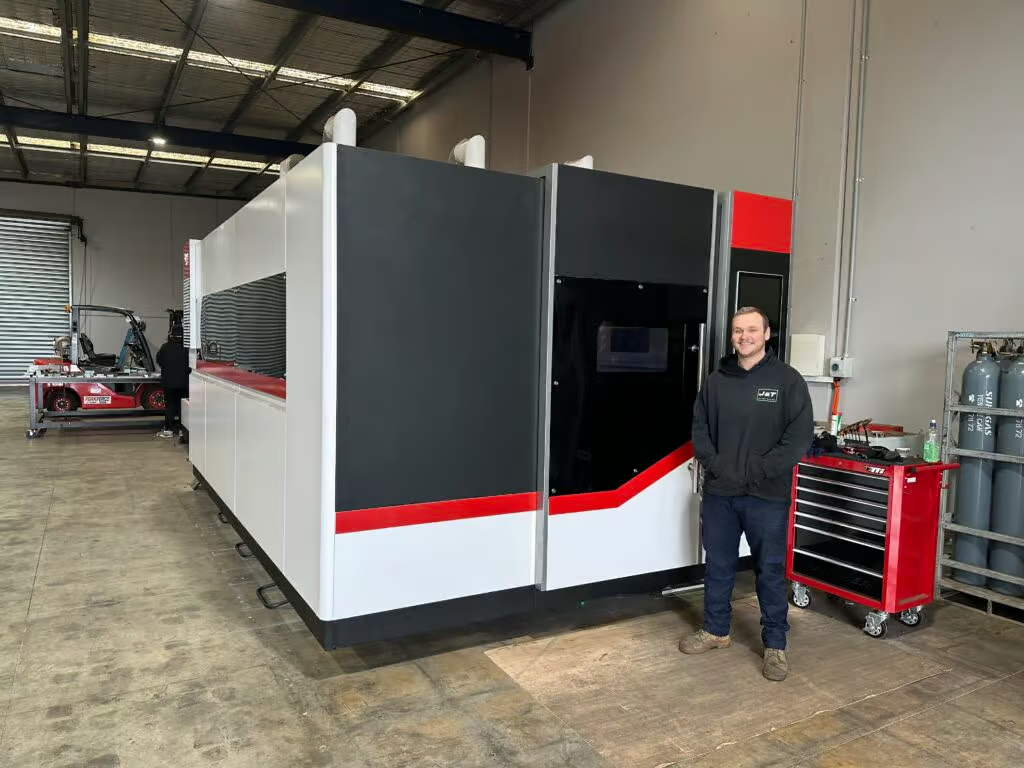
As J&T Steel Sales expanded into the fast-growing laser cutting market, outdated spreadsheet-based quoting quickly became a bottleneck for delivering fast, reliable service. By adopting Tempus Tools, the team streamlined quoting, order tracking, and invoicing—freeing up time, improving consistency, and supporting the company’s growth as they scale their laser cutting operations.
Expanding Australian metal fabrication specialist, J&T Steel Sales, has found that improved productivity and new equipment is only half the battle to boost customer service and sales – equally important is eliminating the outdated processes used to track and prepare quotes, delivery, and invoices.
J&T Steel Sales began as a small plate processing business in Victoria with a CNC Plasma machine, where staff used spreadsheets to develop quotes for customers, but the company has now made the move into the high demand laser cutting market.
Part of the motivation for the expansion was a need in the market for better lead times on laser cut metal products, including aluminium, stainless steel, and carbon steel.
“We had customers come and beg us to purchase a laser machine, because they were fed up with the long lead times that were becoming increasingly common for laser cut products,” explains Luke Patterson, Operations Manager, J&T Steel Sales.
“So we invested in a laser cutting machine, and prepared to grow our business to the next level. But with this change, we needed a quick and efficient software solution to export a presentable quote that we can forward directly to customers in a timely fashion. Spreadsheets just weren’t going to work anymore, so we did some research and found Tempus Tools,” he said.
Laser cutting quoting software streamlines operationsTempus Tools, is a multi-functional laser cutting quoting software that is provided using a SaaS (Software as a Service) model. Tempus Tools was developed specifically for the laser cutting industry, and is designed to save job shops time, and make quoting more efficient, accurate, and consistent.
“Tempus Tools has allowed us to streamline not only the quoting aspect, but also the tracking of active orders as well as invoicing,” says Luke.
“It has been able to take most of the heavy lifting in cutting back on excess paper waste in our offices, whilst also creating a digital paper trail to be able to track material usage and stock.”
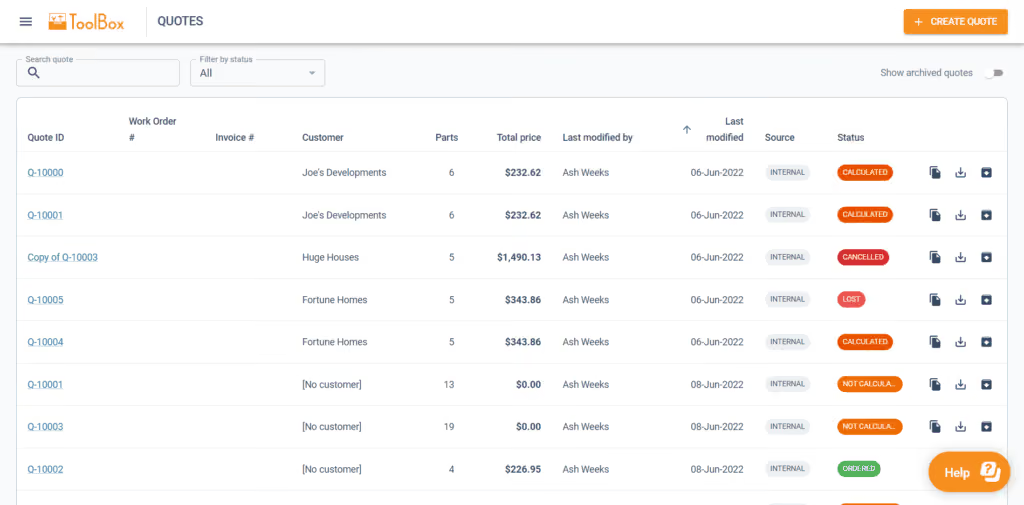
Since purchasing the laser cutting machine, J&T Steel Sales has committed to getting customers their parts when they need them, calling it “the J&T Guarantee”.
“Tempus Tools has helped us immensely in delivering this guarantee to our customers. It has taken the stresses and late night quoting crunches and completely streamlined the process, freeing up more time for us to be able to focus on growing the business,” says Luke.
“In the past, expanding our customer base meant we would fall increasingly behind when it came to invoicing and quoting. Now, with Tempus Tools, we really feel we have found a software that not only services us now, but also allows us room to grow in the future.”
Service is key
Luke explains that in his business, customer service is the key to success. Customers have good memories, and they value pricing consistency, accuracy, and reliability.
“Being a service-focused business, it’s something I look for in our suppliers too. In my opinion, the Tempus Tools team has been exceptional when it comes to responsiveness and availability to work through any challenges I’m experiencing,” he says.
“Coming from a small business ourselves it was an incredibly refreshing experience to have team members visit our workshop, and to also feel listened to when it came to our concerns or feedback for the future development of Tempus Tools.”
“I met Mark Washington (Sales & Support) and Felipe Lechuga (Director) from Tempus Tools at a local manufacturing expo earlier this year, and they took the time to visit our job shop and discuss the functionality of Tempus Tools, and what more it could be doing for us. I was very impressed, and I’m grateful for all the support.”
A bright future
J&T Steel Sales has seen steady growth since moving into the laser cutting business, and Luke has plans to continue this trend.
“Our future plans are not only to focus on bringing in new customers – ideally ones that require repeat work – but also to let all our customers know about our bending and fabrication facility, so they know we can provide an end-to-end manufacturing solution,” he says.
“Tempus Tools has a huge range of useful features, and the development team is always working on new functionality that can benefit job shops like ours, so it is a key component of our growth plans.”
To learn more about Tempus Tools, please click here.
Read blog
Product updates
0
min read
Tempus Tools’ Google Drive integration: 6 ways to supercharge your job shop efficiency
Last month Tempus Tools released a powerful new feature: seamless integration with Google Drive.
Since then, we’ve heard from lots of customers about the innovative ways they have implemented this integration in their job shops, and we wanted to share the best six with you to inspire you to use the feature in your shop.
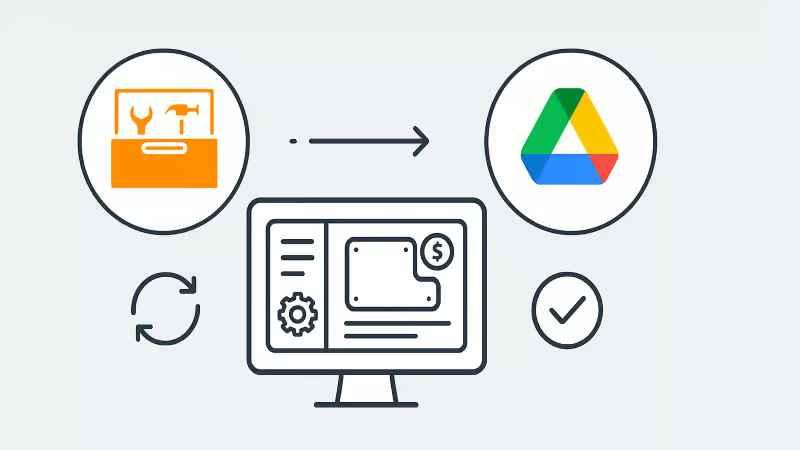
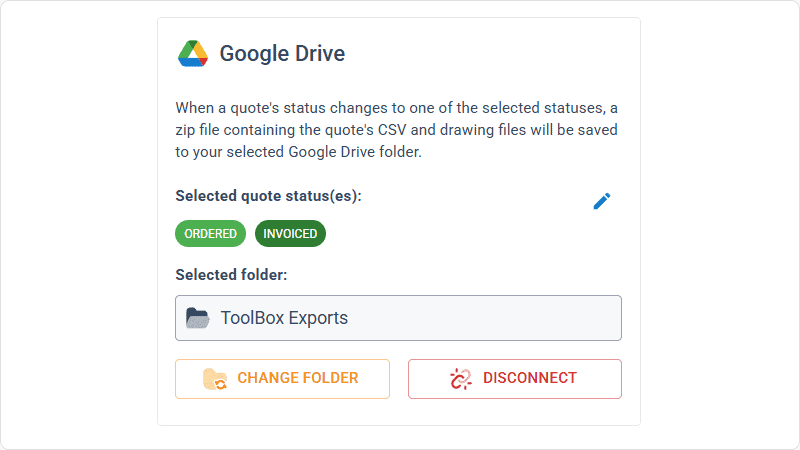
First, a quick recap: with the Google Drive integration, all your quote data (in CSV format) and production-ready part files can be automatically saved to your chosen Google Drive folder. From here, they can be exported to any number of programs or that data can be manipulated for many use cases, opening up a world of automation, reporting and connectivity for your job shop. We’ve also put together a quick video to show the integration in action.
1. Automate quote data collection for reporting
With every quote automatically saved, you can easily compile and analyse your quote performance over time. Use Google Sheets or your favourite analytics tool to track:
- win/loss rates
- performance across material types
- average order size
- breakdown of secondary processes contributions
This data-driven approach helps you identify trends, optimise pricing and improve customer response times.
2. Connect with ERP/MRP and other business systems
Some apps have native integration with Google Drive, which makes taking in quote data and parts easy, but many need a formal API. Luckily, Google Drive comes with its own API.
Some users have used the Google Drive API to build automations that push quote data directly into ERP, MRP or order management systems. This can streamline order processing, reduce manual data entry and ensure your production schedule is always up to date.
3. Organise your orders by material type
Use the exported quote data to create a parts planner that groups jobs by common material type. This enables you to:
- batch similar jobs for more efficient material usage
- reduce changeover times on machines
- optimise purchasing and inventory management
A simple Google Sheets script or integration with a dashboard tool can make this process nearly automatic.
4. Integrate with project management tools
Connect your quote data with popular tools like ClickUp, Monday.com or Airtable. Build custom dashboards and planners for your factory, visualise job statuses and assign tasks to your team-all based on real-time quoting data. These tools don’t require coding or a developer and anyone can work wonders. These types of projects boost collaboration on the shop floor and keep everyone aligned on priorities.
5. Create a scheduling calendar from time calculations
Use the time estimates in your quote data to automatically populate a production calendar. With a Google Calendar integration, you can:
- visualise machine and operator workloads
- identify bottlenecks before they happen
- easily adjust schedules as new jobs come in
This proactive scheduling helps you deliver on time, every time.
6. Enable automated notifications and workflows
Set up Google Drive triggers (using tools like Zapier or Google Apps Script) to notify your team when new quotes are confirmed as orders, or to kick off downstream processes-like updating CRM records or ordering materials.
Getting started is easy
- Go to Settings > Organisation settings > Integrations in your Tempus Tools Tempus Tools account
- Connect your Google Drive and select your preferred folder
- Choose the quote statuses that will trigger automatic file saving
- Start building automations and workflows that fit your shop’s needs
This integration is designed to be flexible-whether you want to automate reporting, connect with business systems, or simply keep your files organised, Tempus Tools and Google Drive make it possible.
Ready to enhance your job shop efficiency? Try the new Google Drive integration today.
Read blog

Articles
0
min read
Is expensive, non-dedicated software holding you back from effortless laser cutting quoting?
Laser cutting is a precise task, requiring machinery tailored to specific requirements. Profitability is significantly boosted by the ability to be able to respond quickly to customer requests for quotes (RFQs), and efficiently deliver the product.
“With the time and energy often spent on selecting the right laser cutting machine, it’s amazing how often software is overlooked as a driver of productivity,” says Tempus Tools Head of Global Sales, Mark Washington.

“Sometimes laser cutting companies are stuck using software that wasn’t specifically designed for job shops, but it’s all that their team is used to using. Other times, expensive software is implemented, but only a small fraction of the features are actually used,” he says.
“And in many cases, it becomes so complex that a specialist is hired to manage quoting via the software – but what happens if they leave the company?”
Tempus Tools is the creator of dedicated quoting software, Tempus Tools, which can provide fast, accurate, and consistent laser cutting quotes that are professionally presented, ready to send back to the customer.
“Using software that isn’t specifically designed for laser cutting is like using a cricket bat to play tennis. It might get the job done, but it would be far more efficient and accurate with the tools designed for the job!” says Mark (pictured, right).
“In addition to providing quotes in minutes, Tempus Tools can also produce production documents with the click of a button, to add further efficiency to running a job shop floor,” he adds.
A shift in the industry
With customers demanding faster service, the industry is shifting to tailored laser cutting quoting solutions, to enhance their RFQ response times, and Mark sees this as part of a larger global trend.
“It’s evident across a number of industries – smarter players want to utilise technologies specifically targeted to their industry to out-pace competitors. And laser cutting job shops are enthusiastically getting on board with this trend,” he says.
“Tempus Tools has been specifically designed for laser cutting job shops. It’s quick to set up, intuitive, and user-friendly, so the entire team can use it with minimal training, instead of relying on one specialist.”
Tempus Tools cloud-based laser cutting quoting software can be set up with information on material price, cutting time, labour, and other relevant information, to generate quotes quickly and accurately, with repeatability.
“The Tempus Tools team has decades of experience in the laser cutting industry, from the shop floor, through to management, and running their own laser cutting enterprises, so we know the industry inside out – and we can support through setup and every step of the journey, for no additional charges,” adds Mark.
“A major inhibitor of laser cutting quoting software has often been cost, with powerful software that can do it all costing thousands per month. But if you only need dedicated laser cutting quoting software, our plans start from US$100 per month, and are packed full of features you will actually use,” he says.
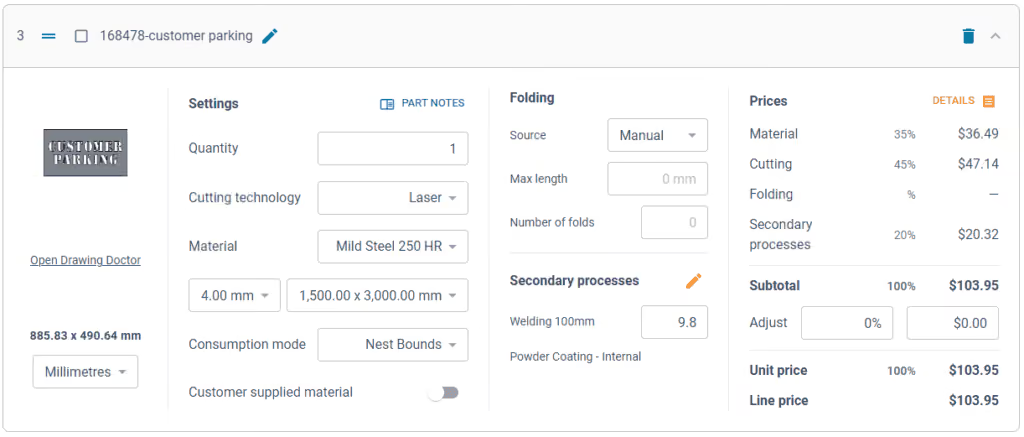
Switching software – overcoming challenges
Even with the knowledge of the benefits of dedicated laser cutting quoting software, job shops can be hesitant about the time involved in switching, says Mark. He notes some of the main concerns:
- Time – often job shops have tried other software implementations and it’s taken months, and they just cannot afford to spend that time again. But Tempus Tools isn’t like other software. For a job shop with one laser, press brake, and standard secondary processes, set up takes less than 90 minutes.
- Staff training – job shops often believe their staff don’t have the time or capacity to learn a whole new software. But again, Tempus Tools is different. It’s designed to be user-friendly, easy to learn, and staff end up doing their jobs more efficiently, and enjoying the features right away.
- Hidden costs – this is a big factor for any software, and job shops are highly alert to cheap upfront costs, followed by lots of add-ons. No one likes to be “nickel and dimed”. For Tempus Tools, it’s a monthly or yearly subscription, and that’s all. No extra charges for support, upgrades, or training. Features all have a set pricing that’s clear from the outset.
- Too many programs – some job shops have two, three, or more different software programs – why add more, especially if they don’t talk to each other? That’s a totally valid concern. Tempus Tools outputs a CSV as standard with all the quote data, making integration seamless and easy.
“The Tempus Tools leadership team has decades of experience working from the shop floor to the top floor, so they understand the pain of changing software, and have designed Tempus Tools to be effortless and simple,” says Mark.
Tempus Tools features
Tempus Tools features that have been specifically designed for laser cutting job shops include:
- 3D model extractor. Identify, extract and unfold sheet-metal parts directly from 3D assemblies without a 3D software package.
- PDF to CAD convertor. Convert a vector PDF into a CAD file instantly. No tracing, no CAD package, just click on a part and extract it into your quote.
- Tube quoting. Easily drag and drop rectangular, square or round hollow sections into the tube module. It quickly calculates highly accurate cutting time and material consumption for pricing.
- Web Store. Let your customers get instant pricing and place orders from your website 24/7 with an online quoting portal.
- Secondary processes. Get accurate and consistent folding prices quickly using the built-in folding algorithm developed by specialists with decades of experience using brake presses.
- Drawing Doctor®. Upon upload of a 2D DXF or DWG file, Drawing Doctor® automatically corrects for double lines, dimensions, and small end points that are hidden in some drawings.
- Part Library. Part Library allows you to save parts that you’ve produced for a customer for re-use. Saves time on repeat orders and quotes, by dropping an existing part straight into the quote, ready to calculate, based on the latest pricing.
“These are just a few of our most popular features, but there are lots more within Tempus Tools, and our development team is constantly listening for customer feedback to determine what new features can be added,” says Mark.
“So for effortless laser cutting quoting, don’t let software hold you back, let it be the catalyst that drives business growth. We offer an obligation-free trial of Tempus Tools so that laser cutting job shops can see the difference for themselves.”
Read blog
Guides
0
min read
How to set laser cutting prices that are both competitive and profitable
Metal fabrication and laser cutting job shop owners have all asked themselves at one point, “how should I set my prices?”.
It’s a delicate balance. Set your prices too high and customers may walk away to the competition, but set your prices too low, and you may be working too hard for little or no profitable return.
Setting a baseline
“The first thing to do is understand all of the costs that are associated with running your laser machine. Once you have a complete overview, best practice is to apply a full absorption costing method to your business,” advises Bruce Thomas, Product Executive at Tempus Tools. Bruce has decades of experience in the laser cutting industry. His experience is complemented by the Tempus Tools team, which are highly knowledgeable in the laser cutting industry, with practical, hands-on experience on the shop floor, through to management.
“Full absorption costing means that you’re absorbing overhead costs into the hourly rate. In laser cutting job shops, this could be direct costs, like labour, as well as indirect costs like rent, insurance, power, and maintenance. But each case is different, so we can provide guidance on how to perform this type of calculation,” he says.
Bruce explains that once you have calculated all the costs within a job shop and created an annual figure, you can set an accurate yearly revenue target, which can be broken down into monthly and daily objectives. This breakdown is an effective way to focus on revenue goals for the job shop.
“This data should give you an idea of what prices need to be set in order to be profitable, but you won’t know if they are exactly right until you get market feedback, so be prepared to adjust these initial prices,” says Bruce.
A word on assumptions
Full absorption costing is a great starting point, but Bruce points out that this calculation does require some assumptions, such as the number of hours the shop will be operational for, and the percentage of those hours the machine will be cutting (known as the utilisation rate).
“Varying the utilisation rate can have a big impact on how costs are distributed. If your machine isn’t running for as many hours per day as you predicted (actual cutting time), then you find yourself in a situation where you’ve priced your cutting service too low,” he says.
“In other situations, you might increase the number of shifts per day, or add shifts on weekends, which can increase efficiency without changing fixed overheads, resulting in a more competitive hourly rate.
Getting ahead and staying competitive
“Of course, once you’ve come up with a price, it’s crucial to see if it’s competitive with the market, and one of the best ways to do this is to use software to monitor your win/loss ratio,” he says.
“A typical win/loss ratio is about 30-40%. This means, for every 100 jobs you quote for, you win 30-40 of them. Lower than 30 means the pricing is too expensive and you’re losing work to competitors, and above 40 means the pricing is too cheap, meaning you are doing a lot of work for a lower profit margin.”
“It’s important to monitor pricing over time, and see how it changes in reaction to trends, too. For example, material price fluctuations or changes in demand from different industries will have an impact on pricing.”
“Similarly, technology changes will have an impact. Cheaper and more powerful machines, and more automation will allow more advanced laser cutting tasks to be done with lower costs.”
“It’s important to know your customer, but it’s equally important to know your competitor and what they are offering, and for how much.”
Hourly rates only go so far
Much of the metal fabrication and laser cutting industry uses hourly rates to calculate a price, which is then quoted to customers, but this only works up to a point, says Bruce.
“To remain competitive, you need to keep monitoring prices. Each quote – regardless of who prepares it – needs to be consistent and accurate. One of the best ways to do this is to use laser cutting quoting software, so that any changes are implemented within the software, rather than on a per-quote basis,” he explains.
There are a range of factors that can affect a quote, and it can often mean one job shop will quote at a different rate to another. Bruce explains that this can be for reasons such as:
- The speed and size of the machine. A 6kW laser cutting machine can vary from approximately $180,000 to $1,200,000, which is a huge difference. Each machine will perform at different speeds, and allow different levels of sophistication.
- Whether the machine is paid off or not. If it’s still not paid off, this might have to be factored into the hourly rates.
- Cutting thickness, with thicker cuts demanding higher costs.
- Cut quality – all machines will be able to produce an acceptable quality, but some customers may demand an additional level of precision and finish, and if this takes additional time, it will need to be considered in the costs.
“With all that being said, your customer is buying on a per-part basis. They are comparing your part priced at $10 with the competitor’s part priced at $8. So, you need to adjust for this difference using software and data, rather than relying solely on a ‘gut feeling’. Knowing your bottom line gives you the confidence to accept or reject the work,” he says.
Added value wins more jobs
Once you’ve figured out a price, to really stand out from the competition, it’s all about the added value you can deliver, says Bruce.
“Consider your delivery times, customer service, expectations management, and understanding a customer’s unique needs. Do they need all their parts individually packed and labelled, for example? If you can meet their needs, you’re more likely to win the job,” he says.
“Adding value is always better than discounting price. In a race to the bottom on price, nobody wins.”
Tempus Tools helps win more jobs
To help deliver added value, monitor win/loss ratios, and provide faster, more accurate, and more consistent quotes, Tempus Tools created Tempus Tools. Tempus Tools is multi-functional laser cutting quoting software that is calculation-based and runs on a Software as a Service (SaaS) model. It can be set up with information on material price, cutting time, labour, and other relevant information, to generate quotes quickly and accurately.
“Tempus Tools can give job shop owners more accurate estimates of time, which leads to greater consistency,” says Bruce.
“Additionally, Tempus Tools can generate printable part labels, and produce work orders with times listed on each task. Tempus Tools provides consistent and accurate data on folding, cutting, and secondary processes, so that quotes to customers are exactly right.”
“We’ve helped a huge variety of different job shops with full absorption costing, win/loss ratios, setting up pricing, and then generating fast and accurate quotes – so if you’re looking to optimise your job shop’s operations, we’re here to help,” he concludes.
Read blog
Articles
Sheet Metal Racks: How Fabrication Shops Store and Handle Material
How fabrication shops store sheet and plate, which racking types suit which jobs, and why storage decisions affect production time and quoting.
Sheet metal racks look like a warehouse decision, but they shape how quickly a shop can find, load, stocktake and cut material. The wrong racking damages sheets, eats floor space and keeps the laser waiting between jobs. The right setup pays for itself faster than most owners expect.
This guide covers the main types of sheet metal storage racks, where each one fits, and the workflow decisions that matter as much as the racking itself.
Why sheet metal storage matters in fabrication shops
Walk into a job shop and the material storage tells you a lot about how it runs. Sheets left on the floor or leaning against posts are a warning sign. As one long-time shop owner put it: "Material not put away is a clear indicator of a very inefficient job shop."
Loose material costs money in ways that don't show up on a single invoice:
- Sheets on the floor get run over by forklift tyres and scratched by tines, and damaged sheets get scrapped
- Mild steel sitting on timber pallets rusts from the bottom up
- Operators lose time hunting for the right grade and thickness
- Loose sheets have sharp corners that someone has to steer around the factory
- Storage and forklift clearance swallow floor space you're paying rent on
We've seen shops in the US where stacks sit straight on the floor with junk piled on top of them, on the assumption that every stack is the thickness it's meant to be. In one, the material was stored outside under snow.
There's also a financial cost that owners tend to underestimate: the stock itself. One Tempus Tools customer, who runs a small single-laser shop, said they carried around 50 tonnes of sheet, worth roughly $130,000. They'd done the sums: to cover the cost of how it was stored and the rent they were paying, they'd need a material margin of around 25% instead of the 20% they charge, which would make them less competitive. The alternative is to close the gap through efficiency: more stock in less floor space, fewer damaging moves, and always knowing what's on hand.
Common types of sheet metal racks
Most fabrication shops use some mix of these:
Horizontal sheet metal racks: traditional pallet racking
The most common horizontal sheet metal rack in small shops is standard pallet racking, the same system warehouses use for boxes. Sheets sit flat on timber pallets, and the pallets sit on beams.
It's popular because it's cheap and quick to put up: bolt up the two end frames, drop the beams in between, and it's ready to load. The upfront capital cost is low.
The problems appear once you use it every day:
- The timber pallet takes up at least 100 mm of every bay before any steel goes on it
- Without a protective cover on the timber, the bottom sheet of mild steel rusts as moisture comes out of the wood
- Every beam and every bay has a load rating, so the heaviest plate (25, 20, 16 and 12 mm) has to go in the bottom bays whether that suits your workflow or not
- Pallets aren't solid, so a single sheet on a pallet leaves four sharp corners exposed while it's driven across the factory
Pallet racking can work for a shop just starting out. Most shops outgrow it.
Drawer-style sheet metal racks: rollout cassette systems
A rollout cassette system replaces timber pallets with steel cassettes that slide in and out of the rack on rollers, like large filing cabinet drawers. When a bundle of material arrives, you unpack it straight into a cassette. To use it, you pull the cassette out with the forklift tines, take it to the laser, lift sheets onto the bed with a vacuum lifter, and roll the cassette back into the rack. Nobody handles the sheets by hand.
For a small job shop, it's the clear choice. One shop owner who has run both systems put it simply: "You are better off by a country mile to have a rollout pallet system."
The advantages come from the design:
- No timber, so no rusted bottom sheets
- The material travels inside the cassette, protected, with no loose corners sticking out
- Each cassette carries far more weight than a pallet racking beam, so you can store more material, higher, in the same footprint
- Cassettes can be staged beside the machine for the day's work
That last point changes how the laser runs. At the start of the day, the operator pulls the cassettes for the day's jobs and stacks them within reach of the lifter. Each sheet goes from cassette to bed, and each empty cassette goes back to the rack with the next one already waiting. By the end of each day, the next day's work should be stacked up and ready to go.
A cassette system also puts a shop closer to automated material handling later, because the material is already in standard, machine-handled units.
What a rollout system costs and how fast it pays back
A cassette system for around 50 tonnes (three material types, two grades and a range of thicknesses) costs somewhere between $70,000 and $90,000. Payback is typically around 12 months.
The savings come from three places:
- Production time. A laser running two shifts with six material changes per shift makes 12 changes a day. At around 15 minutes each with poor storage, that's three hours a day the machine isn't cutting.
- Floor space. The small shop above uses 280 of its 650 square metres for material storage and the forklift space around it. Cassettes stack higher and need less clearance. At $150 per square metre a year, freeing up 80 square metres is worth $12,000 a year in rent, or room for a new process.
- Less damaged and scrapped material.
Vertical sheet metal racks
A vertical sheet metal rack stores sheets on edge in slots, like a toast rack. You can see every piece at a glance and flip through to the one you want, and the rack takes up very little floor space.
Vertical storage is best used for remnants, with full sheets kept flat. Full-size sheets are heavy and awkward to handle on edge, and standing them up and lifting them back out puts more strain on operators and more wear on the sheet edges.
Vertical racks work well with a strict remnant rule, covered further down: only store rectangles and squares, and label every piece.
Cantilever racks
Cantilever racks have a heavy upright column with arms that stick out from it, each engineered to carry a set load (up to around two tonnes). They're built for tube, bar and other long product. Flat sheet generally doesn't belong on them.
If your shop cuts tube as well as sheet, you'll likely need both: cantilever racks for long product and cassettes or flat racks for sheet.
Automated towers and storage systems
An automated tower sits beside the laser and feeds it. You load the tower's pallets, tell the system which sheet is in which pallet, and it pulls sheets, loads the machine and unloads cut parts. A tower needs floor space on its own, plus room around it to load it.
Towers are where we see the most money wasted. Shops buy one on the strength of a sales pitch and end up cursing the tower, when the real problem was buying it without understanding their own work mix. A fibre laser on thin material gets through sheets very quickly, and a tower only pays off when it's kept fed with the same few materials. If you're cutting one sheet of one thickness and then swapping the material in the tower for the next job, it isn't justified.
As a rule of thumb, you need to be running two shifts, and the tower should be close to dedicated to one material. A sensible split is to run only mild steel through the tower and cut all aluminium and stainless on a second machine without one. A single-laser shop turning over $2 to $3 million a year doesn't have the volume to justify one.
Towers also create a remnant problem. They don't load remnants well, because the machine can't easily orient an offcut with a cutout in one corner. Shops that run everything through a tower often stop saving remnants altogether. One Tempus Tools customer runs all its 6 mm and thinner material through a tower and charges for a full sheet even when a customer only needs a 500 x 500 mm part from 3 mm. That keeps the tower simple, but it means they rarely win small jobs.
At the top end are full automated storage and retrieval systems that run along a factory wall and deliver material to several machines with no forklifts involved. These can cost $750,000 to over $1 million. For a shop running 24 hours a day, six or seven days a week, they make sense. For anyone else, make sure the work and the contracts are in place first. There's nothing worse than a system that expensive standing idle, and anything mechanical can break down.
How poor sheet storage slows down quoting and production
Storage problems don't stay in the storage area. They spread into the rest of the shop.
On the floor, operators spend time looking for sheets, checking whether the stack really is 3 mm, and waiting for the forklift. Every minute of that is machine time you're paying for through your hourly rate, which is where inefficiency ends up whether you like it or not.
Forklifts near the laser are a risk of their own. Some small shops tilt the tines down against the edge of the bed and back away slowly so the sheet slides off. It works, but we've also heard horror stories, like the Tempus Tools customer whose operator drove the forklift into the machine's light guard within two weeks of the laser being installed. The replacement part took a week to arrive, and the laser sat idle. A vacuum lifter is really the only safe way to move a sheet. (For more on getting the most from the forklift you do have, see forklift theory.)
In the office, the effect shows up in quotes. If the estimator doesn't know whether the material is in stock, or the price book is out of date, the quote waits while someone checks. A clear, detailed quote that reaches the customer within two or three hours tells them the shop knows what it's doing. A quote that waits on a stock check doesn't. We cover the link between response time and win rate in why quote speed can matter more than price.
What to consider when choosing sheet metal racks
Before you buy, work through these:
- Sheet size. Standard cassettes for 4 x 2 m sheets are built slightly larger, around 4.2 x 2.2 m. Oversized work needs custom racking or custom cassettes.
- Material mix and weight. List your material types, grades and thickness range, and work out the total tonnage. Pallet racking beam loads will dictate where heavy plate can go. A steel weight calculator helps here.
- How material gets to the machine. Decide between forklift, crane, vacuum lifter or an automated feed before choosing the rack.
- Floor space and access. Count the space around the rack for forklifts to get in, turn and back out, as well as the rack footprint.
- The concrete slab. Fifteen tonnes in one rack is a serious point load. Check what your slab can carry before anything is bolted down.
- Certification. Racking is a certifiable piece of equipment that needs engineering certificates. Don't build your own. If something fails, the personal liability falls on the owner.
- Remnants. Plan where offcuts will go from the start.
- Growth. A cassette system can be extended and moves you closer to automated handling later.
Racking imported from China usually works out cheaper than local suppliers, even with freight. It arrives as a bolt-together kit with a lead time of around 90 days. There's usually room to negotiate on price, more so with overseas suppliers than local ones.
Plan storage from day one
The cheapest time to get racking right is when the shop is set up. A new laser needs more than floor space: gas reticulation, compressed air, enough power, possibly a nitrogen generator, and material storage. All of it should be costed into the original project. Racking that goes in on day one pays for itself fastest.
Changing later is painful. On top of the cost, you need somewhere to put every sheet in the shop while the old racking comes out, the new racking goes in, and the cassettes are reloaded. That upheaval is why so many shops put it off.
Sheet storage, material tracking and quoting accuracy
Physical racking is only half the job. A shop also needs to know what material it has, what it paid for it, and what it should charge.
Some basic disciplines make that much easier:
- Record heat numbers. Sheets arrive in batches, and a tonne of 3 mm usually shares one heat number. Enter each delivery into your inventory records with its heat number.
- Use first in, first out. When a new delivery arrives, take out the sheets already in the cassette, put the new ones on the bottom, and put the older ones back on top.
- Don't barcode individual full sheets. Lifting every sheet to apply a label is slow and risky, and the labour cost adds up fast. Knowing what you're using from its position in the rack is enough.
- Do label remnants, ideally with two labels each. That's where labelling is practical, and where it saves the most money.
On the pricing side, material is usually the biggest part of a laser cutting quote, so prices that are out of date cost money on every job (how material prices affect laser cutting jobs covers this). Tempus Tools' material management keeps material prices in one place, so a price update flows through to every new quote. Accepted quotes carry through to production documents, so the operator gets the material spec from the quote instead of a verbal description.
Practical tips for organising sheet metal storage
- Get everything off the floor. Nothing should lean against posts or sit on the ground.
- Separate material by type, grade and thickness, and label every bay or cassette.
- In pallet racking, put the heaviest plate in the lowest bays. In a cassette system you have more flexibility, but keep thin material high and thick material low. Pulling 6 mm sheets from a high cassette is fine. Pulling 25 mm plate from the same height isn't.
- Store only rectangular or square remnants. Trim L-shapes down, because they hang out of the rack and get hit. Operators then need to know where to find long strips like 3000 x 500 mm and where to find squares like 1500 x 1500 mm.
- Make sure the remnant the programmer allocated is the one that gets cut. Operators tend to grab one that looks about right. If it's 10 mm shorter, the job still cuts, but the bigger part that needed that remnant later has to come from a new sheet. The scrap that creates adds up.
- Stage tomorrow's material before you go home.
- Use a vacuum lifter to move sheets, and keep forklifts away from the laser.
- Review damaged and slow-moving stock regularly, so the dollars in your racks are in material you'll actually use.
Remnant barcoding systems are worth considering once the basics are working. They take discipline, but so does everything else in a job shop.
Get the material off the floor first
Good sheet metal racks protect material, give floor space back, and keep the laser cutting instead of waiting. For most small and mid-size shops, the best value is a rollout cassette system for new sheet, vertical racks for rectangular remnants, and a vacuum lifter to move material between them. Automated towers and storage systems pay off only for shops with the volume and shift pattern to keep them busy.
Tidy racking also makes quoting easier. When everyone knows what's in stock and the price book is current, quotes go out faster and with more confidence.
Frequently asked questions
What are sheet metal racks used for?
Sheet metal racks store flat sheet and plate in a fabrication shop so it stays flat, undamaged and easy to reach. Good racking protects material from forklift damage and rust, makes it quicker to load the laser, and frees up floor space.
What is the best way to store sheet metal?
For most small and mid-size job shops, store new sheet flat in rollout cassette racks, keep remnants in vertical racks, and move sheets with a vacuum lifter. Keep material off the floor, separate it by type and thickness, and rotate stock first in, first out.
Are vertical or horizontal sheet metal racks better?
They do different jobs. Horizontal racks, especially rollout cassettes, suit full sheets because the material stays flat and supported. Vertical racks suit remnants and offcuts, because you can see and flip through them quickly in a small footprint. Many shops use both.
How do fabrication shops prevent sheet metal damage in storage?
Keep sheets off the floor and away from forklift traffic, avoid timber pallets that rust the bottom sheet, store heavy plate low, and move sheets with a vacuum lifter instead of forklift tines. Trim remnants to rectangles so nothing hangs out of the rack.
How does sheet metal storage affect production speed?
Every material change costs cutting time. With poor storage, a change can take around 15 minutes. A laser running two shifts with 12 changes a day can lose three hours of production. Staging cassettes beside the machine for the day's work cuts most of that.
Why does material organisation matter for quoting?
Estimators need to know what material is on hand and what it costs. When stock records or the price book are out of date, quotes wait while someone checks, and slow quotes lose work. Accurate, current material data lets a shop quote quickly and with confidence.
See how Tempus Tools helps fabrication shops manage material pricing and quote faster, or book a demo.
Read blog

Articles
Sheet Metal Bending: A Practical Guide for Fabrication Shops
How sheet metal bending works, what affects bend quality, and why formed parts can destroy your margins when not quoted properly.
Sheet metal bending is how most fabrication shops turn flat laser-cut parts into brackets, channels, covers and enclosures. It's also where a lot of quoting goes wrong. The press stroke takes seconds, but setup, tooling and handling can take far longer, and a part that looks simple on a drawing may not be possible to bend on your press at all.
This guide covers how the sheet metal bending process works, the terms that matter, what affects bend quality, and how to quote bent parts so the price reflects the whole job and not just the cutting.
Why bending matters to a job shop
Shops offer bending for a simple reason: that's where much of the money is. A lot of laser cutting work arrives as cut-and-fold, and a shop that can't fold often doesn't get invited to quote the job at all.
It adds up. In one small single-laser shop we work with, folding brings in roughly $15,000 for every $80,000 of cutting, close to 20% on top of cutting revenue. With an efficient setup and a good press brake operator, bending can carry better margins than cutting. Priced badly, it quietly eats the profit from the laser.
What is sheet metal bending?
Sheet metal bending is the process of forming a flat sheet along a straight line into an angle, so it holds a new shape. Repeat it along several lines and a flat blank becomes an angle bracket, a U-channel, a box or a full enclosure.
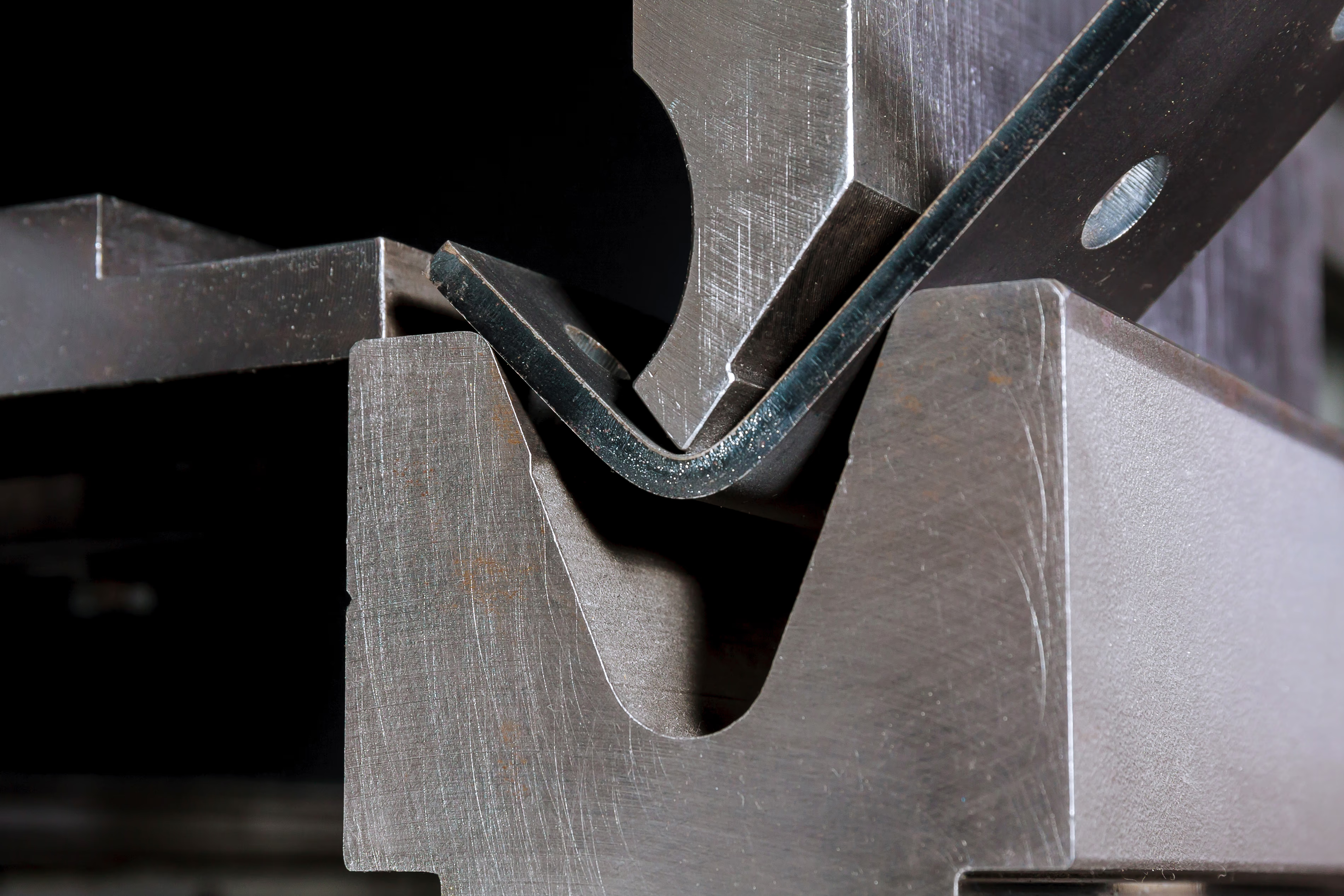
Most bending in fabrication shops is done on a press brake, a machine that forces the sheet between a punch (the top tool) and a die (the bottom tool). Some shops also use folding machines or panel benders, which clamp the sheet and swing the flange up. In many countries, "folding" and "bending" are used almost interchangeably.
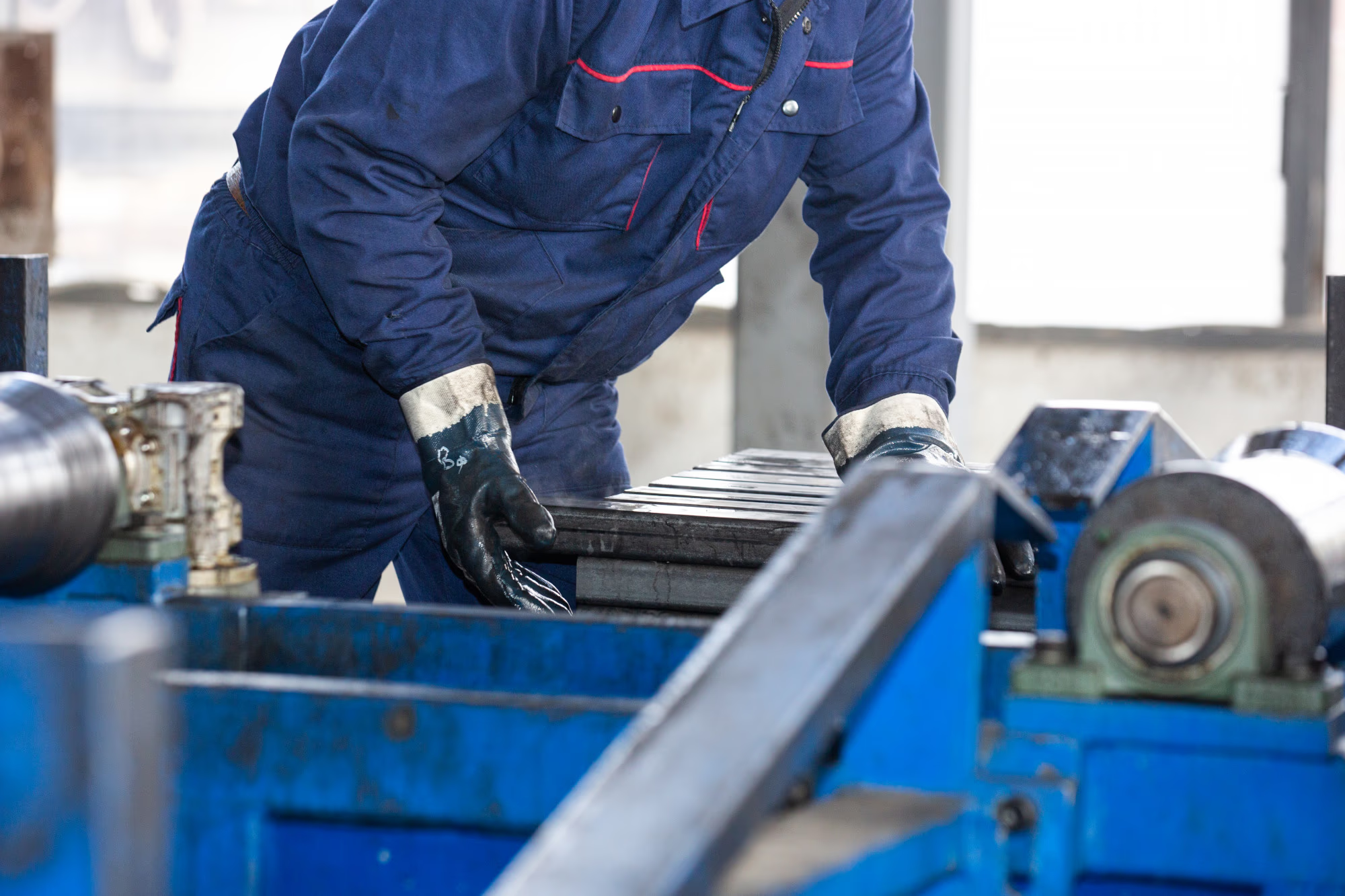
How the sheet metal bending process works
A typical formed part goes through these steps:
- The flat blank is cut, usually on a laser, from a flat pattern that allows for the material stretching in each bend.
- Bend lines, directions (up or down) and the bend sequence are worked out, either by the press brake programmer or in offline software.
- Tooling is selected and set up on the press: the punch and die to suit the material, thickness and inside radius.
- The operator positions the part against the backgauge stops and the press forms each bend in sequence.
- The operator checks the angle and dimensions, and adjusts for springback.
The press stroke is the quickest part of that list. As one shop owner put it: "The stroke time is nothing. It's setup and handling."
Common sheet metal bending methods
Air bending
Air bending is the most common method. The punch pushes the sheet into a V-shaped die without forcing it to the bottom, so the sheet touches the tooling at three points: the punch tip and the two die shoulders. The bend angle is set by how deep the punch goes, which means one set of tools can produce many angles. Because the sheet isn't fully pressed into the die, it springs back, and the operator has to compensate.
Bottoming
In bottoming, the punch presses the sheet down onto the die so it takes the die's angle. It needs more force than air bending, but gives more consistent angles and less springback.
Coining
Coining uses much higher force to press the sheet into the die, forcing the bend tighter than its natural radius. It's precise, with almost no springback, but it's hard on tooling and needs a lot of tonnage. It's much less common in general job shop work.
Hems and safety folds
A hem folds the edge of the sheet back on itself to give a safe, stiff edge. A safety fold (or open hem) leaves a small gap. Both are usually done in two stages: a sharp bend with an acute tool, then a flattening step.
Key terms in sheet metal bending
What affects bend quality?
Material and grain direction
Different materials bend very differently. Mild steel is forgiving. Stainless springs back more. Harder aluminium alloys and tempers, such as 5083, can crack if the bend runs the wrong way relative to the grain.
The grain that matters is the crystalline grain from rolling, not the surface finish, which catches people out. Grain direction has to be considered when the part is placed on the sheet for cutting, not when it reaches the press brake. By then it's too late. Designers are often unaware of it, so the shop needs to catch it at the quoting or nesting stage.
Thickness, bend length and tonnage
The force needed to bend a part rises with thickness and bend length. A press that handles a 1 m bend in 6 mm steel may not have the tonnage for the same bend at 3 m. Quoting a part your press can't form is one of the most common mistakes in bending.
Bend radius and tooling
The die opening and punch radius set the inside radius. Tighter radii need more force and are more likely to crack. Designs that use several different radii on one part need more tool changes.
Reach and clearance
Some parts can't be bent because of the tooling, not the force. The press needs enough throat depth to reach the bend. And as a part is bent up, already-formed flanges can collide with the punch or the machine. Deep boxes and return flanges often need special tooling, such as gooseneck punches.
Part design
Holes too close to a bend line distort. Flanges that are too short can drop into the die. Symmetrical parts are easier for operators to get the right way round. Our tips for folding and bending laser cut parts cover the main design rules.
The flat pattern
If the K-factor or bend deduction is wrong, the flat blank is cut to the wrong size and the finished part comes out short or long. That's a common problem when the flat pattern produced at quoting is reused for production. For anything other than mild steel, check the unfold uses the right values for that material and thickness. For a cover on a ute, a millimetre won't matter. For a precision part, it will.
Why bending matters when quoting sheet metal parts
Quoting a bent part means answering two questions. What will it cost? And can we actually make it?
What it costs: setup plus handling
The price of bending splits into setup time and bending time.
Setup starts with getting the right punches and dies from the rack. Then it often means setting up several stations along the press. On a 3 m press brake, a part may need three or four setups to complete. Take a 500 x 300 mm tray with flanges on all four sides. The 500 mm sides need a 500 mm tool, but once they're bent, a 500 mm tool would crush them when you turn the part round for the 300 mm sides. So you need a 500 mm station and a 300 mm station. Parts with folds inside other folds can need more.
Some setups add further steps. A bend at an angle to the edge of the part needs a guide on the bed so the part can be positioned correctly. A split fold (where the two ends are bent but the middle isn't) needs an extra stop to locate the part sideways.
Bending time is mostly handling, not pressing. One customer told us a story about a part they quoted with Tempus Tools that was almost 3 m long in 1.6 mm brushed stainless. "It's like trying to fold a piece of tissue paper," was how it was described. It couldn't be scratched, so it couldn't be dragged across tables. It needed three people to lift, a protective film on the tooling, and a full flip part-way through because some bends went the other way. That flip was the most expensive move in the whole job.
Large parts also slow things down at the backgauge. With three or four stops across a long part, you often need a second person to check it's hard up against every stop before the operator presses the pedal.
Can you make it?
The harder question is feasibility. Before quoting a formed part, a shop needs to know:
- Does the press have enough tonnage for this thickness and bend length, without damaging the tooling?
- Does it have the reach (throat depth) and tooling to get to each bend?
- Can each bend be reached without the part hitting the tooling, given the design?
- Are there manufacturability issues, like holes too close to bends?
Without a simulation, many shops add up the bends, allow 10% extra and hope. The risk is quoting a part that can't be folded at all.
In smaller shops, the usual answer is to walk out and ask the press brake operator. That interrupts production. If the operator has to simulate the part on the press controller, that can cost 30 minutes of machine time for one quote. Experienced operators can often look at a drawing and tell you it won't work, but that's not a reliable basis for quoting either. (We've written before about keeping your press brake operator out of quoting.)
Shops with offline press brake programming software can run a simulation on complex parts before they quote. That confirms the part can be bent and gives realistic bend times to price from.
Common quoting mistakes with bent parts
- Pricing only the cutting and treating a formed part like a flat one
- Assuming one setup covers every bend
- Forgetting the handling time for large, thin or cosmetic parts, including extra people, flips and protective film
- Quoting a bend length and thickness the press doesn't have the tonnage for
- Missing collisions and reach problems that make the part impossible to form
- Leaving out other secondary processes on the same part, like welding, countersinking or powder coating
- Pulling the press brake operator off the machine to estimate every job
How shops can price bending more consistently
Most of the cost of bending is predictable if you have rules for it. Part size, weight and the number of bends drive setup and handling time, and those can be priced the same way every time instead of from memory.
A practical example is a handling allowance based on area: once a part exceeds a set size, say 4 square metres, the rule adds time for a second or third person. Heavier parts, cosmetic finishes that can't be scratched, and parts needing a flip can carry similar allowances.
Tempus Tools lets shops set up secondary process pricing for folding, welding, powder coating and other steps, priced from each part's properties, so bending lands on the same quote as the cutting instead of being added by hand. For customers who send 3D models, the 3D sheet metal extractor unfolds STEP and IGES files into flat parts ready to quote. See how it fits together for sheet metal shops.
Rules won't answer the feasibility question on complex parts. That still needs an experienced eye or a simulation. But they take the guesswork out of routine bent parts, and they stop the estimator walking out to the press brake for every quote.
Sheet metal bending and the production handoff
Once a quote is accepted, the information that went into it needs to reach the floor. For bent parts, that means:
- The correct flat pattern for cutting, unfolded with the right K-factor for the material
- The part's orientation on the sheet if grain direction matters
- Bend directions, sequence and any notes on special tooling or handling
- Part labels so operators can match cut blanks to the right job
- Work orders that show which parts need folding and which go straight to dispatch
When that information is missing, the operator works it out again from the drawing, which repeats work done at quoting and invites mistakes. Production documents generated from the quote carry the job details through, so the floor works from the same information the price was based on.
Price the whole formed part
Sheet metal bending is one of the most valuable services a job shop can offer, and one of the easiest to underprice. The press stroke is quick. Setup, tooling, handling and the question of whether the part can be bent at all are where the time and risk sit.
Quote formed parts on the full workflow: cutting, setup, handling and every other process the part needs. Use rules for the routine work, and save the operator's time and the simulation for the parts that need it.
Frequently asked questions
What is sheet metal bending?
Sheet metal bending is the process of forming flat sheet along a straight line into an angle, using force from a press brake or folding machine. Several bends turn a flat blank into brackets, channels, trays and enclosures.
What machine is used for sheet metal bending?
Most shops use a press brake, which forms the sheet between a top punch and a bottom die. Folding machines and panel benders are also common, particularly for long, thin sheet. The machine's tonnage, bed length and throat depth decide which parts it can bend.
What is bend radius in sheet metal?
Bend radius is the radius of the curve formed at a bend, usually measured on the inside. In air bending it's set mostly by the die opening. As a starting rule, keep the inside radius at least equal to the material thickness to avoid cracking.
What is bend allowance?
Bend allowance is the length of material that goes into a bend, measured along the neutral axis. It's added to the flange lengths to calculate the flat blank size, and it depends on the material, thickness, bend radius and K-factor.
Why does bending affect the price of a sheet metal part?
Bending adds setup, tooling changes, operator time and handling, and large or cosmetic parts may need extra people. The press stroke itself is quick, so the cost depends on how many setups the part needs and how hard it is to handle.
How do fabrication shops quote bent parts?
Good quotes check feasibility first (tonnage, reach and tooling), then price setup and handling alongside the cutting. Many shops use pricing rules based on part size, weight and bend count, and run complex parts through bending simulation software before committing to a price.
See how Tempus Tools helps fabrication shops price cutting, bending and secondary processes together, or book a demo.
Read blog
.avif)
Articles
Should You Build Your Own Quoting Software with AI? A CTO's View
AI coding tools make it look easy to build your own quoting software. Our CTO explains what they're good for, where DIY quoting comes unstuck, and what to build instead.
More job shop owners are trying to build their own quoting software. With AI coding tools, it looks possible for anyone: describe what you want, watch the code appear, and in a weekend you have something that prices a part. We hear about it from customers and prospects every month.
Some of it is a great use of the tools. Some of it is a slow, expensive way to rebuild something you can rent for less than the cost of a few hours of your time each month.
We asked Bilal Tawfic, CTO of Tempus Tools, what he tells shops that are thinking about it. He uses AI coding tools every day, and he's careful about what he uses them for.
What AI coding tools are good at
AI coding tools work best when you already know what the result should look like. "When you know what you want the outcome to look like, you feed that into an AI agent, and then you can correct it and make sure it stays within the parameters where you want it to go," Bilal says.
They're also very good at prototypes: code you write to prove an idea works, knowing you'll throw it away. Software teams did this long before AI. The tools just make it much faster.
The problem is what happens when nobody steers. "When you let it loose, it doesn't really say no to anything. It just keeps saying yes," he says. "You can end up down rabbit holes."

It feels fast, but it costs time
Building with AI is fun, especially if you're not a programmer. You describe something you've wanted for years and watch it appear in front of you. It's easy to lose a weekend to it, then another.
Most people who've tried it, including people on our own team, recognise the pattern. You build a lot of small tools, enjoy every minute, and three months later you're not using most of them. They worked for a while, then got more complicated, and then got forgotten.
For a hobby, that's fine. For a small business, those hours are wages: usually the owner's, or a key estimator's. It feels quick because something appears on screen immediately, but getting from "it works for this part" to "the whole shop can rely on it" takes much longer.
Why quoting software is harder than it looks
Most shop owners know their own pricing inside out, so the requirements seem obvious. The difficulty is that quoting rules keep unfolding once you try to write them down.
Bilal uses a simple example. You want to quote a part on a sheet of material.
- First, the part has to fit on the sheet. Don't quote it if it can't.
- Then you remember you stock three sheet sizes. It fits on all three, so which one should the quote use?
- The most efficient one. But what does efficient mean?
- For one part, probably the smallest sheet. For 20 parts, two small sheets might be worse than one large sheet, so the answer changes with quantity.
"Natural language doesn't support it," Bilal says. "We use the word efficient, we throw around terminology that needs further definition and further definition."
That's one rule about sheet selection. A working quote also needs cut time, pierce counts, material prices, scrap, setup charges, processes like folding, welding and coating, minimum charges, customer pricing and more. Each one has its own exceptions.
Every new feature can break an old one
You can build this up a step at a time, and that's how real software gets built. But every addition risks breaking what's already there.
The AI won't stop you. Ask it to make sheet selection "more efficient" and it will change the code without necessarily caring what it did before. Professional software teams guard against this with automated tests and release processes that catch a change that quietly breaks last month's pricing. "These things were around before AI, but they're even more important now," Bilal says.
Without them, you find out a rule broke when a customer gets a strange price, or when a job loses money.
The AI makes decisions you don't see
Experienced engineers make dozens of trade-offs while building something, and they know why they made each one. AI tools make those trade-offs too, but they don't always explain them, and sometimes they don't ask. "Sometimes it will give you the option, but it won't be clear about what the trade-off is or what the decision will mean," Bilal says. "Sometimes it won't even ask you. It will just make a decision for you."
If you're not a software engineer, you won't know a decision was made until it causes a problem.
The maintenance bill nobody budgets for
Say you get it working. The ongoing cost is where most DIY software comes unstuck.
Dependencies need constant updates
Modern software is built on other people's code: frameworks, libraries and packages that solve common problems. Those packages are updated regularly, and they have their own dependencies, which are updated too. Updates bring performance improvements and security patches, and sometimes changes that break your code.
Security doesn't wait for you
Every so often, researchers find a serious vulnerability in a package that half the internet uses. Your software might rely on it seven layers down without you knowing. "You need to be aware of that and you need to make sure that you patch those things," Bilal says. If your quoting tool is online, holds customer details or accepts uploaded files, that matters a great deal.
The ground moves under you
Even if the code itself doesn't change, everything around it does. You update your browser, computer or server and the old version stops running. Cloud providers retire services and change how things work. Sometimes keeping software running means real rework, with no new features to show for it.
None of this goes away. A tool that runs fine for six weeks will eventually need someone to fix it.

Why quoting software is a special case
Some business software is fairly simple to build. Quoting for profile cutting and fabrication isn't, for three reasons.
CAD files
Customers send drawings in many formats. Some are open, like DXF and STEP. Many are proprietary and need paid licences to read properly, and none of them is a true standard. The CAD packages also release new versions constantly. For a few months only a handful of files arrive in the new version, then suddenly everyone is using it and your software needs to read it.
Bilal compares it to a gym membership. "The gym's bought all the expensive equipment. You pay your $20 a week and you get to use the expensive equipment whenever you want." A single shop building its own tool will usually be limited to the open formats, because licensing the rest doesn't make economic sense for one business.
Cut time
Working out how long a laser will take to cut a part depends on a lot of numbers and settings, and complex parts behave very differently from simple ones. Bilal's view is that a persistent shop owner could eventually get it working. But a quoting software company has processed millions of customer drawings, and all the edge cases that come with them. "Many years ago [we] ironed out many of the issues," he says. "Now we have a stable version that took us years to get to."
Nesting
How parts are arranged on a sheet drives material cost, and there are many nesting algorithms to choose from. Each one trades speed against accuracy. Choosing and tuning one is a project in its own right.
"But the big online cutting services built their own"
They did. The large online cutting services that let customers upload a file and get an instant price have built impressive software. They also have dedicated software teams, venture funding and years of work on geometry, pricing and nesting behind them.
A shop with one or two lasers and an owner coding at weekends is in a very different position. Having the same AI tools doesn't close the gap. The hard part was never typing the code.
The real cost comparison
Tempus Tools plans start from around US$75 a month. That includes reading and repairing CAD files, cut time, nesting, pricing rules for cutting, folding and other processes, quote documents, security patches, CAD format updates, hosting and a support team that will look at your drawings and answer your questions.
Compare that with doing it yourself:
The sums are simple. If your time is worth $40 an hour (it's more, trust us), two hours of fiddling, maintaining or poking around a month already costs more than a subscription. Most DIY tools need far more than that, and the hours tend to come out of the owner's evenings and weekends.
To put numbers on your current quoting process, try our quoting efficiency calculator.
What you should build with AI instead
None of this means job shops should stay away from AI coding tools. Bilal's advice is to keep experimenting: "It's good to be curious and see what's out there."
The best projects are the ones where you know exactly what the result should be and the rules don't change much:
- Integrations that move data between systems you already use
- Scripts that copy, rename or file documents you currently handle by hand
- Dashboards: quotes by status, orders this week, win rates
- Production screens: what's in the queue, what's due today
These are much easier to maintain than a quoting engine, because they don't involve pricing logic, geometry or nesting. They also work well alongside quoting software. Quote and order data from Tempus Tools can feed your own dashboards and production screens, and our integrations connect to accounting and other business systems.
If you're going to build anyway
If you decide to build something, Bilal has some practical advice:
- Know what you want before you start. The clearer the result in your head, the better the AI does.
- Watch for the decisions it makes. If it picks an approach, ask what the trade-offs are.
- Use version control from day one, so you can always go back. "If you feel like you're going down the wrong path, there's no harm in resetting back to where you were."
- Add tests, and question the AI agent if it changes them for any reason.
- Plan who will maintain it in a year, and what happens if they leave.
- Keep checking the cost-benefit. Count your hours honestly.
Use AI for what it's good at
AI coding tools are useful, and they're getting better fast. For integrations, scripts and dashboards they can save a small shop real time. Quoting is different. It sits on years of work on CAD files, cut times and nesting, plus a constant stream of updates and security patches. Rebuilding that yourself usually costs far more than it saves.
If your time is better spent winning work and running the floor, let someone else maintain the quoting software. See how Tempus Tools works, or compare plans.
Frequently asked questions
Can I build my own quoting software with AI?
You can build a basic prototype. Turning it into something the whole shop relies on is much harder: you need reliable cut-time and material calculations, support for customer CAD formats, testing so new features don't break old ones, and ongoing security and maintenance.
How much does it cost to maintain custom software?
The main cost is time. Dependencies need updating, security vulnerabilities need patching, and operating systems and cloud services change underneath you. For a small business, those hours usually come from the owner or a key staff member, and they continue for as long as the software is in use.
What should a job shop build with AI tools?
Projects with clear, stable requirements: integrations between existing systems, scripts that automate file handling, dashboards and production screens. Avoid rebuilding complex logic like pricing, nesting and CAD interpretation, where commercial software already carries years of work.
Why is quoting software for laser cutting hard to build?
It has to read many CAD formats, some of them proprietary, calculate cut times from part geometry and machine settings, nest parts efficiently on sheets, and apply pricing rules with many exceptions. Each of these takes significant time to get right and keep up to date.
Read blog

Articles
Buying a Nitrogen Generator for Laser Cutting: When Does It Make Sense?
On-site nitrogen can cut gas costs and end delivery delays, but only if the volume, infrastructure and numbers stack up. What to check before you buy.
A nitrogen generator for laser cutting lets a shop make its own assist gas from compressed air instead of buying it in packs or bulk. Once it's paid off, the gas costs little more than the power to make it, and you're no longer waiting on deliveries. But the generator is only one part of the bill, and a system sized or set up badly will leave you short of pressure halfway through a job.
This guide covers why shops use nitrogen, how on-site generation compares with delivered gas, what it really costs, and how to make sure your quotes reflect what your gas costs you.
Why nitrogen is used in laser cutting
Every laser cut uses an assist gas. It's blown through the nozzle to push molten metal out of the kerf and protect the lens, and the choice of gas shapes the finished edge.
Nitrogen is inert. It doesn't react with the metal, so the cut edge comes out bright and free of oxide. That matters most on stainless steel and aluminium, where an oxidised edge looks poor, can affect corrosion resistance, and may need cleaning before welding or powder coating. Many shops also cut thin mild steel with nitrogen for speed and a clean edge.
The trade-off is volume. Nitrogen cutting runs at high pressure and high flow, so a shop that cuts a lot of stainless or aluminium, especially in thicker material, goes through a lot of gas.
Nitrogen vs oxygen in laser cutting
Oxygen reacts with mild steel as it cuts. That reaction adds heat, which lets the laser cut thick mild steel with less power and much less gas. The edge comes out with a thin oxide layer, which is fine for most structural and general mild steel work.
Nitrogen does nothing to help the cut, so the laser does all the work and the gas pressure has to be much higher. In return you get a clean, oxide-free edge.
Because nitrogen cutting uses so much more gas, it should carry a higher rate in your quotes. More on that below.
What is a nitrogen generator?
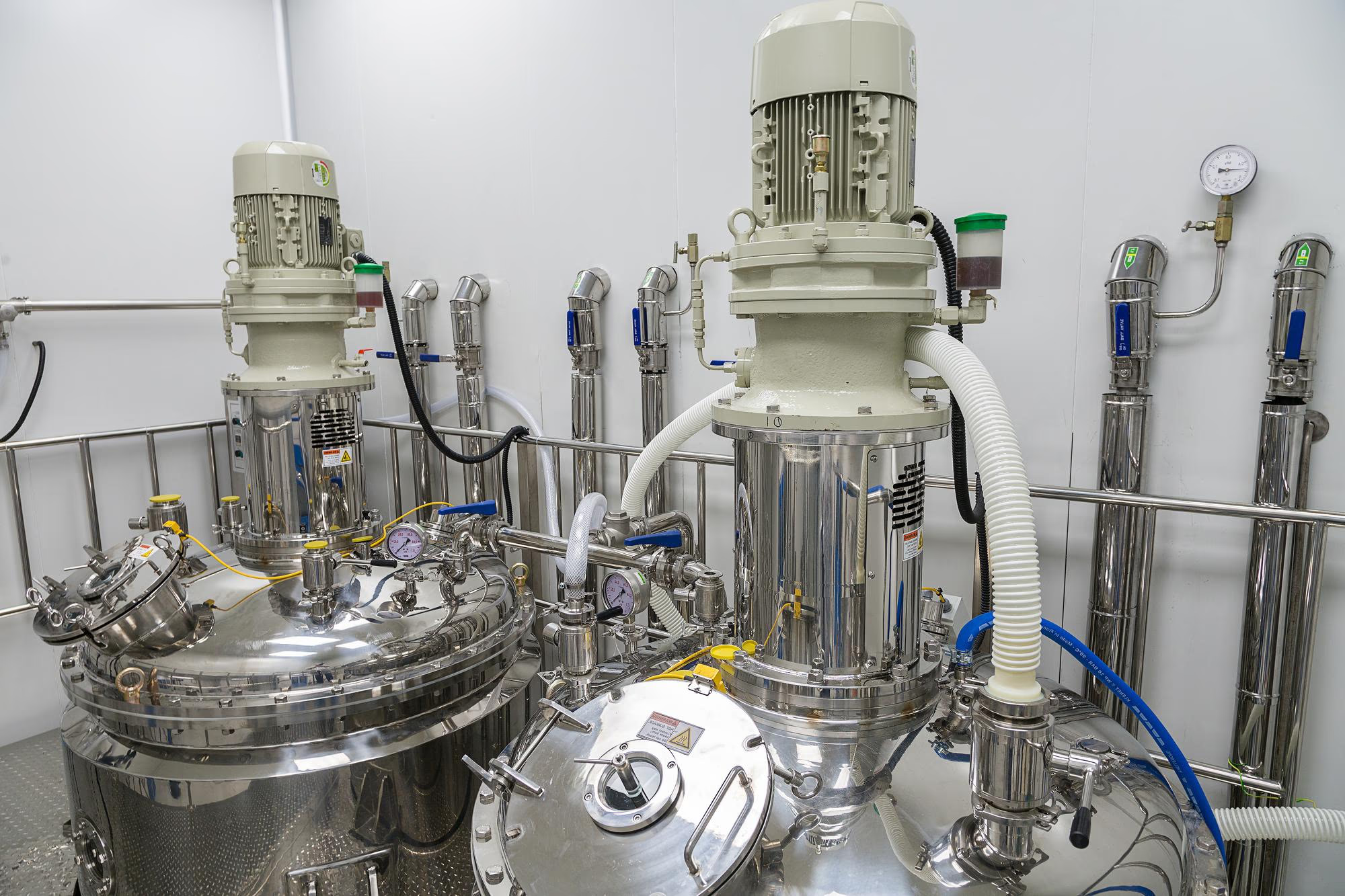
A nitrogen generator separates nitrogen from compressed air. Air is roughly 78% nitrogen. The generator, usually a pressure swing adsorption (PSA) or membrane system, strips out the oxygen and stores the nitrogen in a receiver tank, ready for the laser.
A complete system has more parts than the generator itself:
- An air compressor big enough to feed it
- Dryers and filtration to clean the air before it reaches the generator
- A storage reservoir for the nitrogen
- Often a booster, to lift the pressure high enough for laser cutting
- Pipework from the plant to the machine
Systems vary by purity, flow rate, pressure, storage capacity and energy use. Those numbers decide whether the generator can keep up with your cutting.
Why shops consider nitrogen generation
Lower cost per cubic metre
Delivered nitrogen carries the supplier's production cost, delivery, cylinder or tank rental and margin. Generated nitrogen, once the equipment is paid for, mostly costs the electricity to run the compressor. Per cubic metre, that's usually far cheaper than packs or bulk.
More price certainty
You swap one exposure for another. With a generator you're exposed to electricity prices instead of gas contracts, but you know what the gas is costing you. Supply contracts tend to creep. Fuel service levies get added to delivery charges, the price per cubic metre rises "because energy costs have gone up", and rental terms escalate.
No waiting on deliveries
A generator removes the supply chain. As long as it's maintained, the gas is there when you need it. For regional shops this can be the deciding factor. One Tempus Tools customer, who runs a small single-laser shop in a regional town, bought a generator because they could never get enough packs, there was no room for a bulk installation, and a big job could stall while they waited for the next truck.
Safer handling
Without packs, you're not moving high-pressure cylinders around on a forklift. A cylinder that's knocked over and has its valve snapped off can take off like a missile.
The real cost of a nitrogen generator
The price quoted at a trade show is usually just the generator. A $100,000 sticker price can be well short of the real project cost, which often includes:
- A bigger compressor, because the existing one can't feed the generator as well as the rest of the shop
- A new location for the compressor and generator, usually outside or in a separate room because of the noise
- New air and gas lines to the generator and on to the laser
- Dryers, filtration and drainage
- Installation and commissioning
- Floor space, which you're paying rent on
Then there are running costs:
- Electricity. This is the main ongoing cost. The figure to ask suppliers for is the specific power: the kilowatt-hours needed to produce each cubic metre of nitrogen at the purity and pressure you need. Some shops offset it with solar on the factory roof.
- Servicing. Expect a service roughly every six months for the generator, plus the compressor's own servicing.
- Filters and consumables.
- Depreciation on the generator and the compressor.
- A backup supply (see below).
What determines whether a generator will work for you
Purity
There's a big difference between 95% nitrogen and 99.99% or 99.999%. Higher purity gives a cleaner cut, but takes more energy to produce. Find out what purity the system will actually deliver from day one, not just what it can reach. The regional shop above struggled to get past 96% at first and only reached 99.99% after work on the system.
Purity also depends on the air going in. If the compressed air isn't clean and dry, the nitrogen won't be pure either. Filtration before the generator matters as much as the generator itself.
Pressure and flow at the machine
What matters is the pressure and flow at the cutting head, not at the generator. Packs usually sit right beside the laser. A generator usually sits outside near the compressor, so the gas has further to travel and loses pressure in the lines on the way. A generator that can't deliver enough pressure at the point of use is no good.
Capacity for your thickest work
Thick stainless uses gas fast. The regional shop's generator can't sustain long runs of 16 mm or 20 mm stainless. The reservoir loses its head pressure after a few hours, so they cut thick stainless for a set time, then switch to oxygen work or thinner stainless while the pressure builds back up. For big thick-stainless jobs, they bring in three to five packs to get the job done.
Your plans for the next five to ten years
A generator is a large capital investment, so it needs enough capacity for where the business is heading, not just where it is now. Size it for the cutting volume you expect, not today's.
Your premises
Generators, compressors and their pipework are effectively part of the building. As a rule of thumb, plan to pay the system off over about ten years, or two cycles of a typical five-year property lease. If you might move premises before then, the numbers get much harder to justify.
When a nitrogen generator makes sense
A generator is more likely to pay off when:
- You cut a lot of stainless and aluminium, or thin mild steel on nitrogen
- Your cutting volume is steady and growing
- Delivered gas is expensive, unreliable or hard to get where you are
- You have space, power and compressor capacity, or can add them
- You'll stay in the premises long enough to recover the infrastructure cost
- You can keep up the daily maintenance
Higher volume makes the case stronger. The regional shop runs its laser at about 50% beam-on time, around 22 hours a week, and still found it worthwhile because of supply problems. A shop in a city without those supply problems would want more cutting hours on nitrogen to justify it, but higher volumes are also more likely there.
When a nitrogen generator may not make sense
- You mostly cut mild steel on oxygen and use little nitrogen
- Your volume is low or unpredictable
- You don't have the space, power or compressor capacity, and the upgrade costs blow out the payback
- You may move premises within a few years
- Nobody will own the daily draining and filter checks
Even then, review your gas contracts. Many shops are paying more than they need to for delivered gas.
Keep a backup supply
A generator is a single point of failure. If it stops, the laser stops cutting anything that needs nitrogen. Keep at least one pack on site as a backup, and have a supply arrangement for extra packs when a large job will outrun the generator.
In practice, most shops with a generator end up running a hybrid: generated nitrogen for day-to-day cutting, with packs for backup and peak demand. As one shop owner told us: "The hybrid option is really the best option. You must keep some packs ready."
Maintenance and quality assurance
Generators aren't fussy machines. They run much like a compressor and need far less attention than a laser. The weak point is the air supply between the compressor and the cutting head.
That makes daily discipline important:
- Drain the compressor every night
- Drain the filters every night
- Keep filters and dryers serviced on schedule
If moisture or oil gets into the lines, impurities reach the gas and the cut quality drops. A bad cut usually shows quickly, but not always before you've cut a sheet of expensive stainless. Check the first parts of each run, especially after any maintenance.
Nitrogen safety
Nitrogen is odourless and displaces oxygen. A leak in an enclosed space can drop oxygen to dangerous levels with no warning, and people have died this way. The risk exists with packs, bulk tanks and generators alike, and bulk tanks hold the most gas. A bulk vessel can hold 2,000 cubic metres or more.
Simple rules reduce the risk:
- Turn the nitrogen supply off at the end of every day
- Check lines and fittings for leaks
- Keep the cutting area well ventilated, especially in well-sealed buildings
- Consider an oxygen monitor where gas is stored or used indoors
Delivered nitrogen: watch the contract
If you're staying on packs or bulk, the contract terms matter as much as the gas price.
- Pack rental. Some suppliers charge rental by the day. Negotiate a fixed number of packs on a monthly rental cycle instead.
- Price creep. Watch for fuel service levies on delivery charges and per-cubic-metre increases between contract reviews.
- Bulk venting. Liquid bulk tanks boil off gas over time and may need to vent before a refill, so you pay for gas you never use.
Our earlier article on how much nitrogen is costing your job shop covers the delivered-gas side in more detail.
How nitrogen costs affect laser cutting quotes
Assist gas is part of what it costs to cut, and on thick stainless it's a big part. Yet in our experience, many small shops don't think about gas enough.
The risk is pricing nitrogen cutting as if it were oxygen cutting. Charging $600 an hour for oxygen cutting and only $650 an hour for nitrogen on thick material can wipe out the margin. You'll still turn over money, but you won't pay off the laser. As a rough benchmark, gas should sit somewhere around 5 to 6% of revenue across all your processing. If it's well above that, check your rates.
A generator changes your cost base, and it can change where you compete. Market prices still set what you can charge. But lower gas costs let you price stainless and aluminium more competitively than shops paying for packs, especially on thicker material. The regional shop priced nitrogen cutting at around 20 to 30% above its oxygen mild steel rate. Competitors on packs were charging much more for thick stainless, so the shop built a reputation for stainless and aluminium work. Whether you pass savings on or keep them as margin, it should be a deliberate decision, not an accident of an out-of-date rate.
How to build gas costs into your quoting
- Work out your real gas cost per cutting hour for each gas. For delivered gas, include rental, delivery and levies, not just the gas. For a generator, include depreciation, power, servicing and backup packs. Our gas cost calculator gives you a cost per cut from your gas price, flow rate and cutting time.
- Feed it into your machine rate. The laser cutting hourly rate calculator shows how gas sits alongside machine, labour and overhead costs. Our guide to what goes into a laser cutting hourly rate explains the rest.
- Use separate rates for oxygen, nitrogen and air cutting, not one rate for everything, reflected in the hourly rate multiples applied to different materials and thicknesses.
- Review the rates whenever your gas setup or contract changes.
In Tempus Tools, cutting rates are set up per machine and material, so nitrogen work on stainless can carry a different rate from oxygen work on mild steel, and every quote picks up the right one automatically. See laser cutting quoting software for how pricing rules work, or our free guide on how to set laser cutting prices.
Questions to ask before buying a nitrogen generator
- How much nitrogen do we use per month, and on which materials and thicknesses?
- What purity and pressure do we need at the cutting head?
- What is our real delivered gas cost per cubic metre, including rental, delivery and levies?
- What will the full project cost, including compressor, pipework, filtration, installation and floor space?
- What is the specific power (kWh per cubic metre) at our required purity?
- Can it sustain our thickest stainless jobs, or will we need packs for those?
- What backup supply will we keep?
- Who will drain the compressor and filters every night?
- Will we be in these premises for the next ten years?
- How will this change our cutting rates and quoting assumptions?
Get the gas cost right either way
A nitrogen generator can be a strong investment for a shop that cuts plenty of stainless and aluminium, has the space and power for it, and plans to stay put. It can also be an expensive way to save on gas the shop barely uses. Get the full project cost, check purity and pressure at the machine, and keep packs on hand as backup.
Whether you buy nitrogen or make it, it's a real cost of cutting. Put an accurate number on it and make sure your quotes carry it.
Frequently asked questions
What does nitrogen do in laser cutting?
Nitrogen is an assist gas. It blows molten metal out of the cut and shields the edge from oxygen, so the cut comes out clean and oxide-free. It's used mostly for stainless steel, aluminium and thin mild steel.
Is nitrogen better than oxygen for laser cutting?
It depends on the job. Nitrogen gives a bright, oxide-free edge and suits stainless and aluminium. Oxygen reacts with mild steel to help the cut, using far less gas, and is usually the better choice for thicker mild steel where an oxide edge is acceptable.
What is a nitrogen generator for laser cutting?
A system that produces nitrogen on site from compressed air, usually with PSA or membrane technology. It includes a compressor, air treatment, the generator, storage and often a booster to reach cutting pressure.
Is a nitrogen generator worth it for laser cutting?
It can be, for shops with high and steady nitrogen use, the space and power to run it, and plans to stay in their premises for around ten years. Shops that mostly cut mild steel on oxygen, or use little nitrogen, may be better off negotiating a better gas contract.
How do nitrogen costs affect laser cutting prices?
Nitrogen cutting uses far more gas than oxygen cutting, especially on thick material. If quotes use a single rate for both, nitrogen jobs can lose money. Shops should calculate a gas cost per cutting hour and use separate rates for nitrogen and oxygen work.
What should shops calculate before buying a nitrogen generator?
Monthly nitrogen use, current delivered cost per cubic metre including rental and levies, the full project cost including compressor and pipework, power use per cubic metre, servicing, backup supply and the payback period over the time they expect to stay in their premises.
Use accurate gas and machine costs when setting your laser cutting rates. Try the gas cost calculator, or see how Tempus Tools keeps them consistent across every quote.
Read blog

Articles
Metal Fabrication ERP Software vs Specialist Quoting Tools: What Shops Should Know
ERP systems can run a fabrication business well, but they're rarely built for fast, drawing-based quoting. How to tell which problem your shop actually has before you buy.
Most fabrication shops start looking at metal fabrication ERP software at the same point. The spreadsheets have multiplied, jobs are hard to track, and nobody is sure the numbers in accounts match what happened on the floor. An ERP promises one system for all of it. For some shops that's the right call. For others, the real bottleneck sits earlier, at the quote, and a broad business system won't fix it.
To better understand the ERP landscape, we interviewed an industry veteran who ran a multi-site cutting business with 26 lasers and fielded pitches from ERP vendors for years. This article covers what ERP systems do well, where they get heavy for fabrication and laser cutting shops, and how to work out whether you need an ERP, a specialist quoting tool, or both.
What is metal fabrication ERP software?
Metal fabrication ERP (enterprise resource planning) software is a business management system that connects production, inventory, purchasing, scheduling, job tracking, accounting and reporting in one database. The aim is a single record of every job, from order to invoice, so management can see what the business is doing and what it costs.
Most fabrication ERPs are general manufacturing ERPs with modules or configuration for sheet metal and structural work. A growing number now target laser cutting shops specifically.
Why fabrication shops start looking at ERP systems
The trigger is usually growth. A process that worked with one laser and three people starts to break with two lasers, a press brake and a second estimator. Common signs:
- Jobs get lost between the office and the floor
- Inventory counts don't match what's on the racks
- Nobody can say with confidence what's scheduled for next week
- Each department runs its own spreadsheet
- Management wants reporting the current setup can't produce
- Accounting figures and production figures don't line up
These are real problems, and an ERP is designed to address most of them. Before buying one, work out which of these problems is costing you the most money.
Where ERP software earns its place
Our veteran is clear that ERPs have a place, and there are areas where they outperform specialist quoting tools, including ours.
Reporting and analytics are the obvious ones. An ERP holds data from every part of the business, so it can report across purchasing, production, labour and finance in a way a quoting tool can't. ERPs generally handle capacity planning and high-level production scheduling well. They're also good at time and attendance, with staff clocking on and off and those records feeding payroll and job costing.
Scale changes the picture too. Asked whether he'd buy an ERP if he were starting a job shop today, the veteran said it depends on the goal. If the plan were to build a group of shops, such as a franchise network, he'd want something more comprehensive than any quoting tool, because a multi-site business needs reporting that goes well past the quote.
ERPs also suit stock manufacturing: making your own products in repeat batches with predictable bills of materials. In his words: "ERPs are good for stock manufacturing, but they're not the sort of stuff for service provision, cutting or cutting and folding."
And the category has improved. More systems now target laser cutting and the quoting process than when he was being pitched, and they do a better job of it.
Where ERP systems get heavy for fabrication shops
A laser cutting job shop is a service business. It makes other people's parts from other people's drawings, often in quantities of one to fifty, and it quotes far more work than it wins. That's where the ERP model starts to strain.
The licence fee is only the starting point
The veteran learned this the hard way when he tried to buy an ERP. The software was pitched at around $50,000 and presented as doing everything. "The $50,000 is just the starting mark," he said. After that came data migration, training, consulting to get it set up, and custom reporting.
For a shop with a handful of staff, those follow-on costs can exceed the price of the software, and they land before the system has saved a single hour.
Customisation nobody can support later
Every ERP pitched to him relied on customisation to fit a cutting business. The vendors would supply the core system and suggest the shop build its own front end to interpret CAD files.
Custom work is expensive to build and harder to support. The consultant who built your custom screen or workflow moves on to another client. When it breaks, the ERP vendor's support team has never seen it, and you pay to have it rebuilt.
Laser scheduling doesn't follow the order book
ERPs understand machine capacity. But you can't accurately schedule a laser from individual orders, because the machine cuts nests, and a nest mixes parts from several jobs on one sheet. Until the work is nested, the true cutting time isn't known.
ERPs also tend to be slow to react when the plan changes, for example when a laser breaks down and everything has to be reshuffled. In the veteran's experience, that's why so many shops with an ERP still run their laser schedule in Excel. It's quicker to change and easier to work with.
Reports that look good but don't change decisions
"It always looks good, but is it useful?" is the veteran's test for ERP reporting. Dashboards full of graphs impress in a sales demo. What matters is whether any of them will change how you run the shop.
The reports that do change behaviour tend to be narrow. Win-loss rate by material group is one, because it shows where your prices are out of line with the market. One small single-laser shop we know well found it had sold more sheets of aluminium than mild steel over three months, which nobody expected. The shop is in the tropics, where customers choose aluminium and stainless to avoid rust. That one figure changes how the shop should price aluminium, what stock it holds, and whether a nitrogen generator makes sense.
Job-level profit is a similar trap. Trying to work out whether you made money on a single 20-minute laser job wastes time, because shared sheets, setups and overheads make the answer unknowable. The more useful question is whether the laser operation as a whole made money over the last month.
Built by accountants rather than engineers
Many ERPs were designed by people with financial backgrounds rather than manufacturing or engineering ones, and it shows in the customer-facing parts of the workflow. Customer engagement, quote follow-up, delivery dockets and part labels tend to be weak points. For a lot of small shops, the ERP ends up working like a large accounting package running beside the business rather than the system the shop runs on.
Why quoting needs its own workflow
Quoting happens before a job exists. There's no order, no work order and no production record yet, only a customer drawing and a deadline. The estimator has to read the geometry, work out cut time and material, allow for folding and finishing, and send a price while the customer is still interested.
When ERP vendors came to pitch, the veteran's first questions were always about that front end:
- Can it quote from a CAD file?
- Can it calculate laser cutting time automatically?
- Can it calculate folding and bending?
- Can it work out material requirements from the drawing?
The answer to every one was no. The only quoting feature that held up was revision control, tracking versions one, two and three of a quote.
That mattered because of the maths of quoting. His business quoted roughly two jobs for every one it won. A quote earns nothing until an order arrives, so every quote is labour cost, and the half that don't convert are pure overhead. How quickly a salesperson can produce an accurate quote directly affects what it costs to win work. We cover this in more detail in why quote speed can matter more than price.
Two further differences explain why ERP logic and quoting logic often clash.
Cost-plus pricing vs market pricing
ERPs usually price with cost-plus logic: add up machine cost, labour and overhead, then add a margin. That works for internal job costing. It breaks down when you're selling cutting into an open market.
Take a 300 x 300 mm part in 6 mm mild steel with 50 holes. A laser that cost under $100,000 can cut it with a perfect finish. A $1.2 million machine with a 20 kW source will cut it faster, but not much faster. The customer doesn't care which machine made it, and the market price will settle at the low end. A cost-plus price built on the expensive machine's cost base will lose the job.
A quoting tool built around an all-in hourly rate lets you price to what the market will pay, then check that the rate covers your costs. Our guide to what goes into a laser cutting hourly rate covers that side. As for the $1.2 million machine, the veteran's view is that it only pays for itself with enough automation to run 24 hours a day, seven days a week, while staff are on site ten hours a day, five days a week.
Material is consumed by the nest, not the job
Job shops rarely cut one customer's parts on a dedicated sheet. They nest several customers' parts together to use material efficiently, so material is consumed at the nest level.
The veteran's example is a large ring with a big outside diameter and a big inside diameter. The customer pays for material out to the outside diameter, but the shop cuts other customers' parts from the offcut inside the ring. An ERP trying to calculate contribution margin per job gets confused, because material charged to one job has already partly paid for parts on another. Inventory has to be managed from the nest rather than from the quote or the order.
ERP vs specialist quoting software
Many shops end up with both. The ERP runs the business after the order, the quoting tool wins the order, and an integration passes the job data across so nobody re-keys it. The veteran's concern is that shops get sold on how an ERP looks in a demo rather than how efficiently it gets each job quoted. Many would be better served keeping a dedicated quoting tool and connecting it to whatever else they need.
Signs your shop needs ERP
- Scheduling across several machines and processes is your main bottleneck
- You carry significant stock and can't keep control of it
- Purchasing, job costing and invoicing are disconnected
- You run, or plan to run, multiple sites and need consolidated reporting
- You manufacture your own products in repeat batches
Signs your shop needs specialist quoting software first
- Quotes take hours, or pile up until the weekend
- Drawings need cleaning up before you can price them
- Two estimators give the same customer two different prices
- Repeat parts get re-quoted from scratch
- Customers wait days for a price and buy elsewhere
- You're losing work before it reaches production
If most of your pain is in the second list, an ERP won't fix it quickly, and it may add months of setup before anything improves.
How Tempus Tools fits alongside an ERP
Tempus Tools is laser cutting quoting software for profile cutting and fabrication shops. It's built for the front end of the job. You quote directly from DXF and PDF drawings, with cut time and material calculated from the geometry and nesting. Drawing Doctor finds and fixes the CAD errors that break quotes and machines. Pricing rules keep every quote consistent no matter who creates it, and the Part Library stores quoted parts so repeat orders don't get re-quoted.
Once a quote is accepted, the job data carries through to production documents and accounting documents, and integrations pass it on to accounting and ERP systems so nobody types it in twice. For many smaller shops that covers what they need. Larger shops can keep their ERP for scheduling, inventory and reporting and use Tempus Tools for quoting.
For a side-by-side view, see Tempus Tools vs ERP/MRP systems.
Start with the problem, not the system
An ERP can be a good investment for a fabrication business that has outgrown spreadsheets across production, stock and finance. For a service shop, though, the "one system to do everything" pitch can come with slow quotes, customisation bills and reports that don't change any decisions.
Work out where the money is leaking first. If it's in scheduling, stock and cost control, look at ERP. If it's in slow quotes, messy drawings and inconsistent prices, fix quoting first. You can add an ERP later and connect the two.
Frequently asked questions
What is metal fabrication ERP software?
Business management software that connects production, inventory, purchasing, scheduling, job tracking, accounting and reporting in one system for fabrication shops. It gives management a single view of the business, but most ERPs can't read CAD drawings or calculate cut times, so quoting often happens somewhere else.
Do fabrication shops need ERP software?
Not always. Multi-site operations, shops making their own products in batches, and shops where scheduling or inventory is the main bottleneck usually benefit. Small job shops whose main problem is quoting speed and consistency often get more from specialist quoting software first.
What is the difference between ERP and quoting software?
An ERP manages the business after an order is won: production, stock, purchasing and finance. Quoting software wins the order. It reads customer drawings, calculates cut time and material, and applies consistent pricing rules so the shop can respond quickly.
Can quoting software work with an ERP?
Yes. Many shops use a specialist quoting tool at the front end and pass accepted jobs to their ERP or accounting system through an integration. That avoids re-entering data and lets each system do the job it's built for.
Is ERP software too complex for small fabrication shops?
It can be. The licence is often only part of the cost. Data migration, training, consulting and customisation add to it, and custom work can be hard to support once the consultant who built it has moved on. For a shop with a handful of staff, that overhead is hard to justify unless the business needs what the ERP offers.
What should a shop use if quoting is the main bottleneck?
Specialist quoting software that reads DXF and PDF drawings directly, calculates cut time and material from the geometry, cleans up bad drawings, and applies consistent pricing rules. That takes quote turnaround from hours to minutes without changing the rest of the business.
See how Tempus Tools helps fabrication shops quote faster from customer drawings, or book a demo to walk through it with our team.
Read blog
Product updates
Simplicity meets simplicity: Tempus Tools + Nest&Cut
Tempus Tools now works with Nest&Cut. Export your quoted, cleaned parts and import them into Nest&Cut for nesting and NC code, with the job details attached. Two simple tools, now connected.
We built Tempus Tools to be the simplest quoting software for metal fabricators, with no six-month implementation and no training manuals. Upload a drawing, get a price.
Nest&Cut built their nesting software with the same philosophy: no bloated CAM system, no IT department required. Import parts, get optimised nests and machine code.
Today, we're connecting the two.
What this means for your shop
Your quoted parts, already cleaned by Drawing Doctor, export as a single package and import straight into Nest&Cut, with the job details attached. There's no hunting for the right DXF or working out which job it belonged to.
The workflow:
- Customer orders through your Web Store, or you quote the job manually
- Drawing Doctor cleans the files
- Export the job as a Tempus Tools package, with the clean drawings and job details together
- Import the package into Nest&Cut
- Nest&Cut optimises the layout and generates the NC code
- Load it to your machine and cut
That's it. Quote to machine code, with two simple tools each doing what they do best.
Why this matters
Small shops have been caught between two bad options.
Option A: Manual handoffs. Download from your quoting system, open your nesting software, import, export, and load to the machine. Every handoff is a chance for errors, lost files, and wasted time.
Option B: Enterprise MRP. Six-figure software, months of implementation, and IT consultants. Far more than a regular job shop needs or can afford.
This integration creates a third option: simple software that works together. No middleware, no consultants, and no added complexity. Just two products built for small shops, now connected.
About Nest&Cut
If you haven't used Nest&Cut, here's the short version:
- Cloud-based nesting. No software to install. Works from any browser.
- 45 years of algorithm development. The nesting maths is proven.
- Around 30 seconds from import to result. Import parts, get an optimised layout.
- NC code for the machines you actually use. Amada, Bystronic, Ermaksan, Esab, Flow, Hypertherm, LVD, Messer, plus G-code and CypCut for just about everything else.
Same philosophy as Tempus Tools: powerful enough for production work, simple enough that anyone can use it.
{{in-content-cta}}
Getting connected
Here's how to set it up:
- In Tempus Tools, export the job as a package (a .zip containing the clean drawings and job details). You can send it via Google Drive or download it manually.
- In Nest&Cut, open Settings and activate the Tempus Tools integration.
- Select Import Archives and load the Tempus Tools package.
- Your drawings appear in Nest&Cut with the job details attached, including material, quantity, and grain direction, ready to nest.
Takes about two minutes.
Simple tools for small shops
This integration exists because both teams believe the same thing: small fabricators deserve software that works the way they do, without the bloat, cost, and consultants of enterprise systems. Quote in Tempus Tools, nest and cut in Nest&Cut, and move between the two with a lot less friction in between.
Read blog


ROI Calculator
See how much time and money you’ll save
Use our ROI Calculator to measure potential labor savings, faster quoting, and increased consistency for your shop.

Resources
Success stories
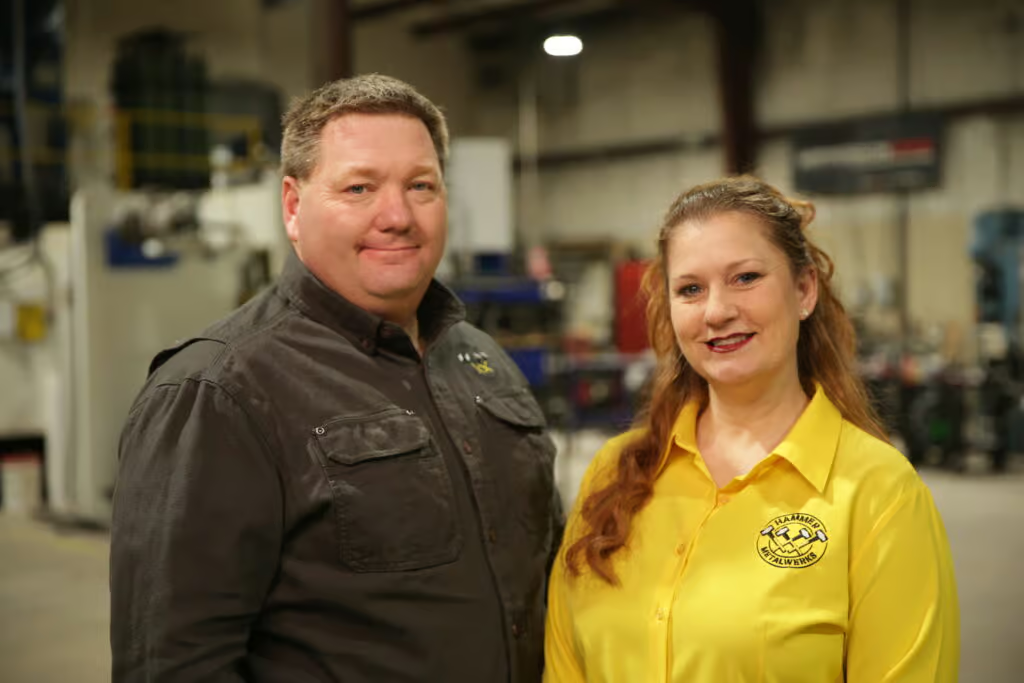
Success stories
0
min read
US job shop Hammers home success with attitude-first hiring
Facing skilled labor shortages, Hammer MetalWerks shifted its hiring strategy to prioritize attitude over experience, using technology to quickly train new operators. With Tempus Tools streamlining quoting, work orders, and secondary processes, the team has improved accuracy, reduced errors, and empowered new staff to become productive faster.
A US-based metal fabrication job shop is taking a new approach to hiring staff, in response to skilled labor shortages, preferencing work ethic and attitude over existing skillset.
Derek Hammer, President of Hammer MetalWerks, and Erin Hammer, Vice President and Director of Human Resources have found that with the right technology, you can train and upskill an employee with a good attitude, which benefits them and the business.
“Our laser operator and brake press operator had both never used those machines in their life before working here. But they were intelligent, familiar with computer systems, and had a positive attitude to learning, so we hired them based on that,” said Derek.
Hammer MetalWerks provides small-to-medium production runs and parts for a huge range of industries, from construction, to healthcare, entertainment, attractions, military, and government.
“Rather than looking for highly skilled – and more expensive – operators, which are in short supply, we looked for technology that could make the operator’s job easier, and help them get up to speed faster,” says Derek.
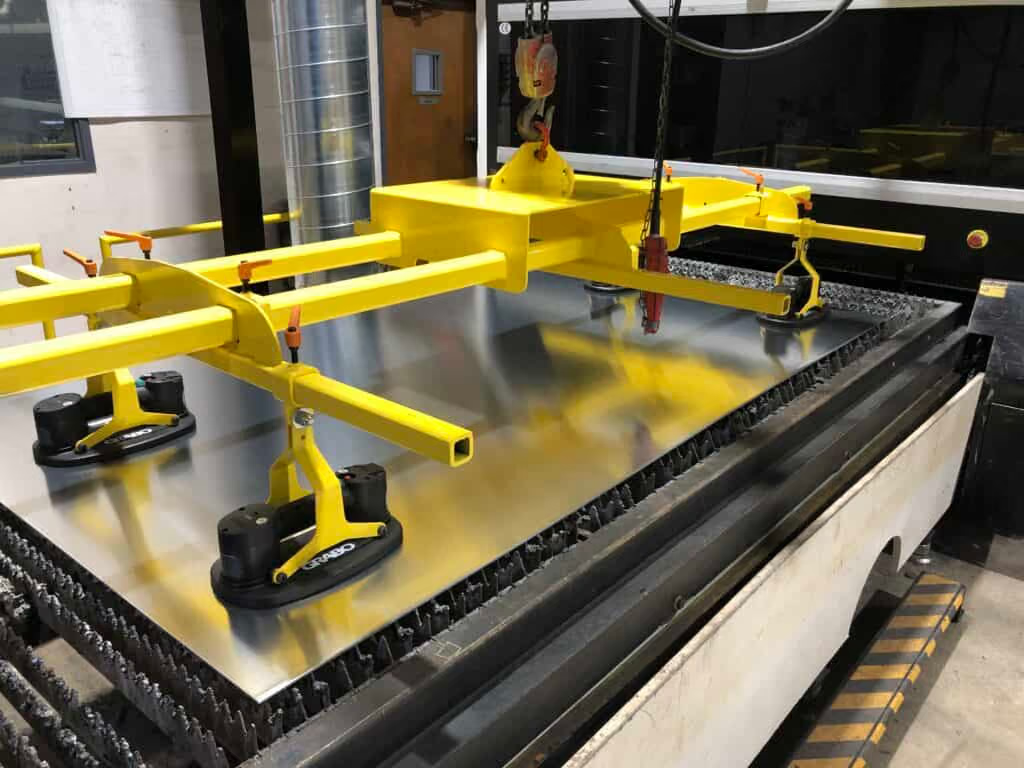
Hammer chooses Tempus Tools
One technology the Hammers chose to help their new staff, and the overall efficiency of the job shop, was Tempus Tools. Tempus Tools is multi-functional laser cutting quoting software that is calculation-based and runs on a Software as a Service (SaaS) model. It can be set up with information on material price, cutting time, labour, and other relevant information, to generate quotes quickly and accurately.
“Tempus Tools has been highly valuable for us. It provides work orders to the shop floor with lots of details that the operators don’t have to find or calculate themselves. One example for us is that sheet sizes are all metric, and we use imperial gauges in the US – which can often lead to errors if not converted correctly,” explains Derek, whose business operates a 3kW fiber laser machine.
“Moreover, 11 gauge aluminium is not the same thickness as 11 gauge steel, and our laser machines are all metric, so having all the right measurements through Tempus Tools reduces the risk of any errors.”

“Additionally, Tempus Tools is very user-friendly, so staff that are used to working with computers in a broad range of contexts can pick up the program quickly and begin working with it.”
Tempus Tools CEO, Bart Jesman, says it’s rewarding to see the software benefitting forward-thinking job shops like Hammer MetalWerks. “We’ve designed Tempus Tools to provide benefits to job shops of all shapes and sizes. What Derek has done is take this a step further and used it to improve his hiring process, by making the operator’s job easier – it’s an intelligent approach.”
Secondary processes
In addition to metal fabrication and laser cutting, Hammer MetalWerks has a unique advantage over most job shops, with the broad range of additional services and secondary processes it provides, including design, bending, welding, powder coating, packaging, tapping, rivets, hardware, and more, all from the one place.
“With so many secondary processes, it’s so helpful that we can quote them all using Tempus Tools, and they can all be included in the work order that goes out to the shop floor,” says Derek.
“Additionally, the work order can be sent to our label printer, including a thumbnail of each item, to provide a visual cue to our shop floor staff, to further enhance the accuracy and efficiency of their work. It really helps avoid mix-ups on the shop floor.”
Updates and support
Derek adds that the support from the Tempus Tools team has been outstanding, collaborative, and helpful.
“The Tempus Tools team is always open to feedback, and they use this to help develop new features that make Tempus Tools better for job shops like ours. But they’ll also help with general questions we have – and they have experienced staff to draw upon for industry knowledge,” he says.
“With the skilled labor shortages in the US – and common issues around the world – having the right technology is crucial. We now hire employees that fit well with our work culture and have a good attitude – and it’s working out well for our business,” concludes Derek.
To learn more about Tempus Tools, please click here.
Read blog
Success stories
0
min read
From quoting crunches to streamlined processes: Tempus Tools empowers growth of J&T Steel Sales
As J&T Steel Sales expanded into the fast-growing laser cutting market, outdated spreadsheet-based quoting quickly became a bottleneck for delivering fast, reliable service. By adopting Tempus Tools, the team streamlined quoting, order tracking, and invoicing—freeing up time, improving consistency, and supporting the company’s growth as they scale their laser cutting operations.
Expanding Australian metal fabrication specialist, J&T Steel Sales, has found that improved productivity and new equipment is only half the battle to boost customer service and sales – equally important is eliminating the outdated processes used to track and prepare quotes, delivery, and invoices.
J&T Steel Sales began as a small plate processing business in Victoria with a CNC Plasma machine, where staff used spreadsheets to develop quotes for customers, but the company has now made the move into the high demand laser cutting market.
Part of the motivation for the expansion was a need in the market for better lead times on laser cut metal products, including aluminium, stainless steel, and carbon steel.
“We had customers come and beg us to purchase a laser machine, because they were fed up with the long lead times that were becoming increasingly common for laser cut products,” explains Luke Patterson, Operations Manager, J&T Steel Sales.
“So we invested in a laser cutting machine, and prepared to grow our business to the next level. But with this change, we needed a quick and efficient software solution to export a presentable quote that we can forward directly to customers in a timely fashion. Spreadsheets just weren’t going to work anymore, so we did some research and found Tempus Tools,” he said.
Laser cutting quoting software streamlines operationsTempus Tools, is a multi-functional laser cutting quoting software that is provided using a SaaS (Software as a Service) model. Tempus Tools was developed specifically for the laser cutting industry, and is designed to save job shops time, and make quoting more efficient, accurate, and consistent.
“Tempus Tools has allowed us to streamline not only the quoting aspect, but also the tracking of active orders as well as invoicing,” says Luke.
“It has been able to take most of the heavy lifting in cutting back on excess paper waste in our offices, whilst also creating a digital paper trail to be able to track material usage and stock.”
Since purchasing the laser cutting machine, J&T Steel Sales has committed to getting customers their parts when they need them, calling it “the J&T Guarantee”.
“Tempus Tools has helped us immensely in delivering this guarantee to our customers. It has taken the stresses and late night quoting crunches and completely streamlined the process, freeing up more time for us to be able to focus on growing the business,” says Luke.
“In the past, expanding our customer base meant we would fall increasingly behind when it came to invoicing and quoting. Now, with Tempus Tools, we really feel we have found a software that not only services us now, but also allows us room to grow in the future.”
Service is key
Luke explains that in his business, customer service is the key to success. Customers have good memories, and they value pricing consistency, accuracy, and reliability.
“Being a service-focused business, it’s something I look for in our suppliers too. In my opinion, the Tempus Tools team has been exceptional when it comes to responsiveness and availability to work through any challenges I’m experiencing,” he says.
“Coming from a small business ourselves it was an incredibly refreshing experience to have team members visit our workshop, and to also feel listened to when it came to our concerns or feedback for the future development of Tempus Tools.”
“I met Mark Washington (Sales & Support) and Felipe Lechuga (Director) from Tempus Tools at a local manufacturing expo earlier this year, and they took the time to visit our job shop and discuss the functionality of Tempus Tools, and what more it could be doing for us. I was very impressed, and I’m grateful for all the support.”
A bright future
J&T Steel Sales has seen steady growth since moving into the laser cutting business, and Luke has plans to continue this trend.
“Our future plans are not only to focus on bringing in new customers – ideally ones that require repeat work – but also to let all our customers know about our bending and fabrication facility, so they know we can provide an end-to-end manufacturing solution,” he says.
“Tempus Tools has a huge range of useful features, and the development team is always working on new functionality that can benefit job shops like ours, so it is a key component of our growth plans.”
To learn more about Tempus Tools, please click here.
Read blog
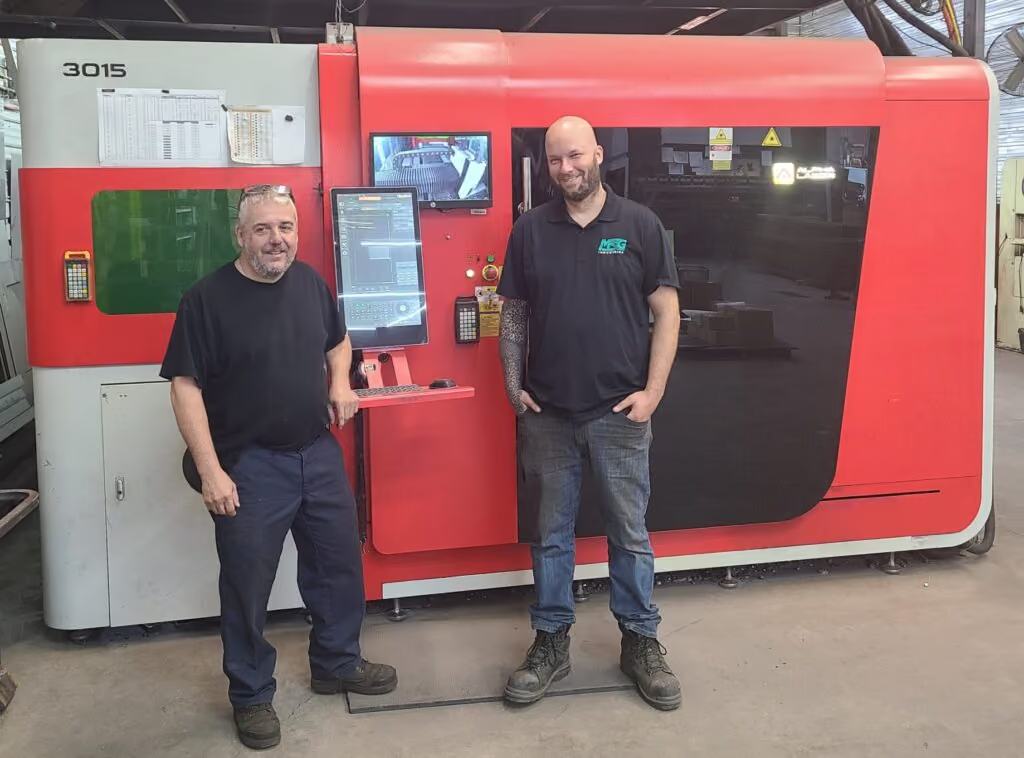
Success stories
0
min read
MSG Industries provides laser cutting quotes eight times faster with game-changing software
After struggling with an in-house quoting system that was costly and inefficient, MSG Industries adopted Tempus Tools and immediately cut quoting time while improving accuracy and pricing consistency. The team now relies on Tempus Tools powerful features—like PDF part extraction and upcoming pipe-cutting support—to streamline operations and better serve their growing customer base.
A Canadian metalworking, fabrication, welding, and laser cutting enterprise, MSG Industries, has implemented a “game-changing software” to deliver faster and more accurate laser cutting quotes to its customers.
MSG Industries Vice-President, Olivier Samson, had been working with his team on developing their own quoting tool software, but it was not a cost-effective solution to the accuracy and time pressures the growing business was facing.
“We probably spent about $15,000 (Canadian dollars) and a large investment of hours developing a home-made system, but it just wasn’t performing to the level we needed to deliver better service to our customers,” said Samson.
“We did some research and discovered Tempus Tools, and it’s a game-changing software for us. Right now, I can’t imagine how we could get through the week without it,” he added.
MSG Industries, which prides itself on innovation, integrity, and professionalism, has been growing steadily since its inception three years ago, and to cope with additional requests for quotes, the company took on two full-time employees dedicated to quoting.
Tempus Tools, is an all-in-one laser cutting quoting software that is provided using a SaaS (Software as a Service) model.
“Since implementing Tempus Tools, we’ve found it is much more accurate, reliable, and fast. Instead of two people quoting full time, we can now have one person do a better job in a quarter of the time, freeing up staff to work on other tasks that can further grow our business,” says Samson.
“As we take on more customers, and send out more quotes, Tempus Tools also gives us total pricing consistency, which means we build the trust of our customers. No one likes receiving two different prices for the same work, but if two different estimators manually prepare the quote, it can happen,” he says.
“Additionally, the service has been outstanding, which is rare these days. Every time I’ve needed assistance, the Tempus Tools team has been quick to respond and highly professional.”
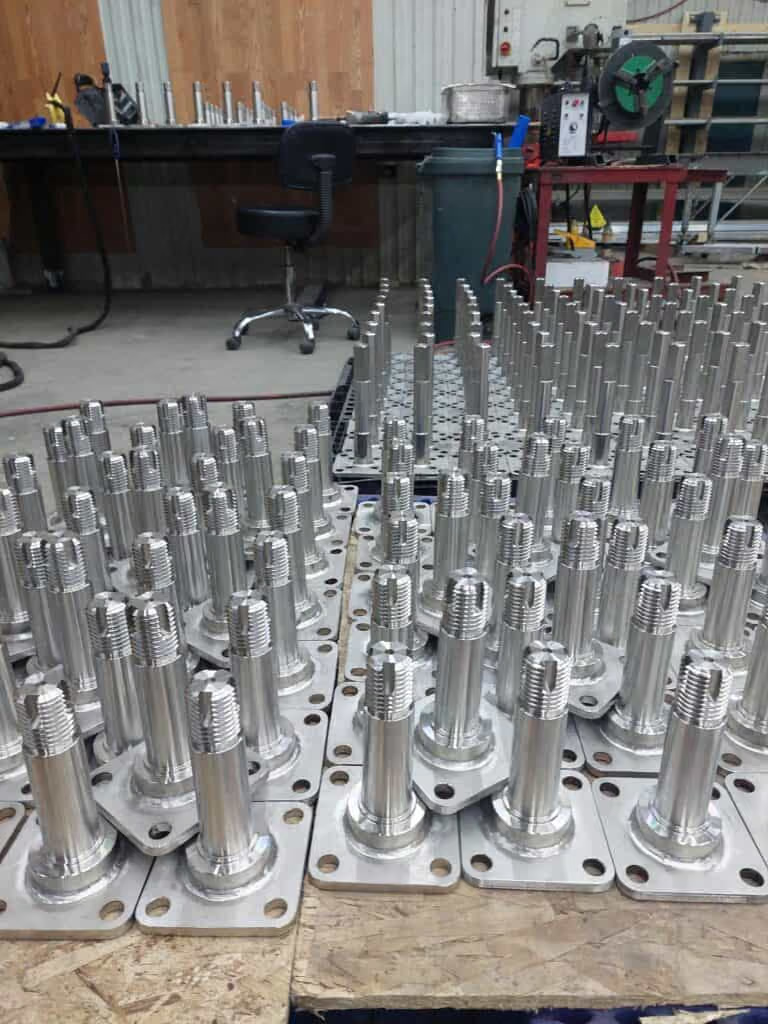
New updates: pipe cutting
MSG Industries provides services to a broad range of industry, and is constantly looking at ways to innovate and expand its offering.
“Our strength has always been our versatility. We have a department dedicated to heavy structural fabrication, such as schools or hospital building pieces, another department for food factory equipment, one for hydropower products, and then we have pipe cutting and laser cutting services,” explains Samson.
“Since we have so many different departments, we need very reliable tools to help us quote, and Tempus Tools has been highly valuable to us.”
“Our major focus right now is working on our pipe cutting laser service, and Tempus Tools is already working on adding this functionality into Tempus Tools so that we can quote for this service too – it’s very exciting.”
Turning customer PDFs into quote-ready CAD files
Tempus Tools Director Felipe Lechuga says that the discovery of Tempus Tools PDF part extractor feature was a further benefit to MSG Industries.
“MSG had just been using Tempus Tools for creating new quotes, but when they discovered they could use the PDF part extractor to turn a customer’s vector PDF into a CAD file straight away with no tracing required – they were delighted with the results,” said Lechuga.
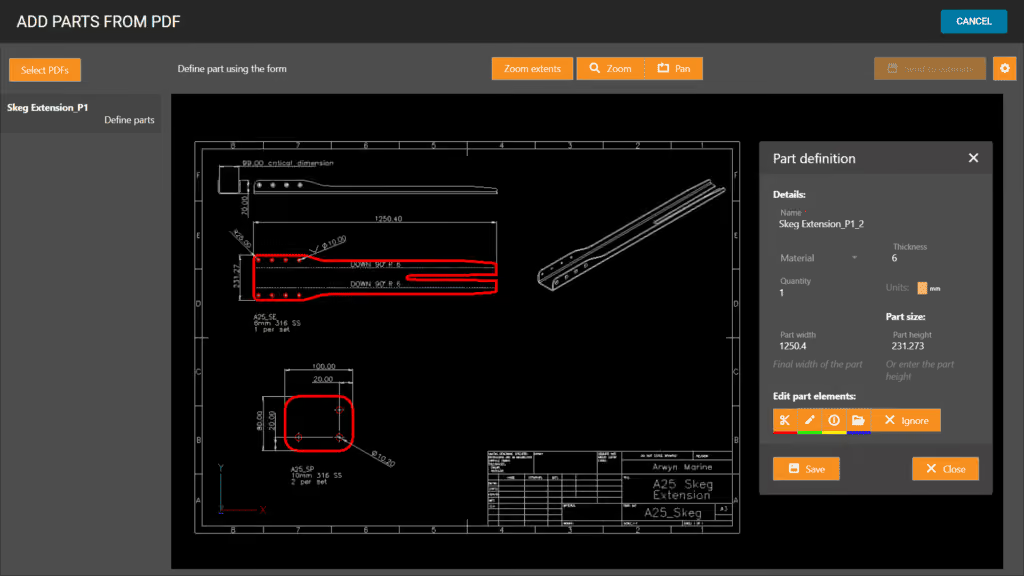
“The PDF part extractor doesn’t need any CAD package or skills to use, meaning anyone can simply click on a part and extract it into a quote. You can scale the part, plus specify details like folding and etching too.”
Olivier Samson says he can’t believe he didn’t try the PDF part extractor right away. “This is even more than we hoped for. Such a useful tool! I wish we’d tried out these features from the beginning.”
“I’ve found that Tempus Tools is reliable and fast, and Tempus Tools is actively working on updates, so we really couldn’t ask for more!” he concluded.
Read blog
Resources
Product updates
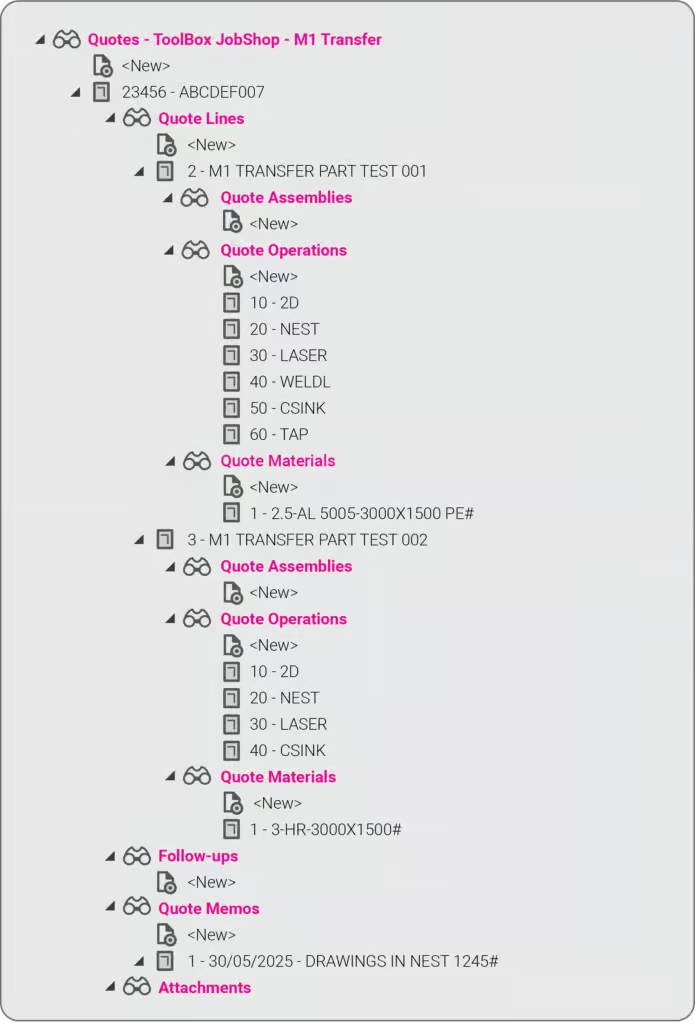
Product updates
0
min read
New integration: Tempus Tools + ECI M1 – from quote to order to ERP, seamlessly
At Tempus Tools, we know that speed and accuracy are everything in a laser cutting job shop, and today we’re announcing a new integration that makes both even easier.
We’re now fully integrated with ECI Software’s M1 ERP system.

What does that mean for your job shop?
It means you can now send quotes, order details, and production-ready drawings directly from Tempus Tools into your M1 ERP — no more double handling, no more data entry errors, no more jumping between systems.
This integration eliminates any “dead zone” between quoting and production. You get the specialist laser quoting power of Tempus Tools (like lightning-fast nesting, material cost accuracy, and margin control) combined with the operational backbone of M1.
It’s quoting that talks to your shop floor.
We’ve talked about how integrations like Google Drive can supercharge job shop workflows, and this M1 integration is another great example.
Want to learn more or set it up? If you want to avoid the limitations in the generic quoting functions in ERP/MRP software, but still use the rich planning and production features in ERP/MRP software, then get in touch today.
Book a demo or email us at support@tempustools.com and we’ll help you get connected.
Tempus Tools + M1 = quoting to production, finally in sync.
Read blog
Product updates
0
min read
Tempus Tools’ Google Drive integration: 6 ways to supercharge your job shop efficiency
Tempus Tools’ new Google Drive integration automatically saves your quote data and part files to Drive, opening the door to faster, smarter workflows. In this post, we highlight six clever ways job shops are already using it to boost efficiency.
Last month Tempus Tools released a powerful new feature: seamless integration with Google Drive.
Since then, we’ve heard from lots of customers about the innovative ways they have implemented this integration in their job shops, and we wanted to share the best six with you to inspire you to use the feature in your shop.
First, a quick recap: with the Google Drive integration, all your quote data (in CSV format) and production-ready part files can be automatically saved to your chosen Google Drive folder. From here, they can be exported to any number of programs or that data can be manipulated for many use cases, opening up a world of automation, reporting and connectivity for your job shop. We’ve also put together a quick video to show the integration in action.
1. Automate quote data collection for reporting
With every quote automatically saved, you can easily compile and analyse your quote performance over time. Use Google Sheets or your favourite analytics tool to track:
- win/loss rates
- performance across material types
- average order size
- breakdown of secondary processes contributions
This data-driven approach helps you identify trends, optimise pricing and improve customer response times.
2. Connect with ERP/MRP and other business systems
Some apps have native integration with Google Drive, which makes taking in quote data and parts easy, but many need a formal API. Luckily, Google Drive comes with its own API.
Some users have used the Google Drive API to build automations that push quote data directly into ERP, MRP or order management systems. This can streamline order processing, reduce manual data entry and ensure your production schedule is always up to date.
3. Organise your orders by material type
Use the exported quote data to create a parts planner that groups jobs by common material type. This enables you to:
- batch similar jobs for more efficient material usage
- reduce changeover times on machines
- optimise purchasing and inventory management
A simple Google Sheets script or integration with a dashboard tool can make this process nearly automatic.
4. Integrate with project management tools
Connect your quote data with popular tools like ClickUp, Monday.com or Airtable. Build custom dashboards and planners for your factory, visualise job statuses and assign tasks to your team-all based on real-time quoting data. These tools don’t require coding or a developer and anyone can work wonders. These types of projects boost collaboration on the shop floor and keep everyone aligned on priorities.
5. Create a scheduling calendar from time calculations
Use the time estimates in your quote data to automatically populate a production calendar. With a Google Calendar integration, you can:
- visualise machine and operator workloads
- identify bottlenecks before they happen
- easily adjust schedules as new jobs come in
This proactive scheduling helps you deliver on time, every time.
6. Enable automated notifications and workflows
Set up Google Drive triggers (using tools like Zapier or Google Apps Script) to notify your team when new quotes are confirmed as orders, or to kick off downstream processes-like updating CRM records or ordering materials.
Getting started is easy
- Go to Settings > Organisation settings > Integrations in your Tempus Tools Tempus Tools account
- Connect your Google Drive and select your preferred folder
- Choose the quote statuses that will trigger automatic file saving
- Start building automations and workflows that fit your shop’s needs
This integration is designed to be flexible-whether you want to automate reporting, connect with business systems, or simply keep your files organised, Tempus Tools and Google Drive make it possible.
Ready to enhance your job shop efficiency? Try the new Google Drive integration today.
Read blog
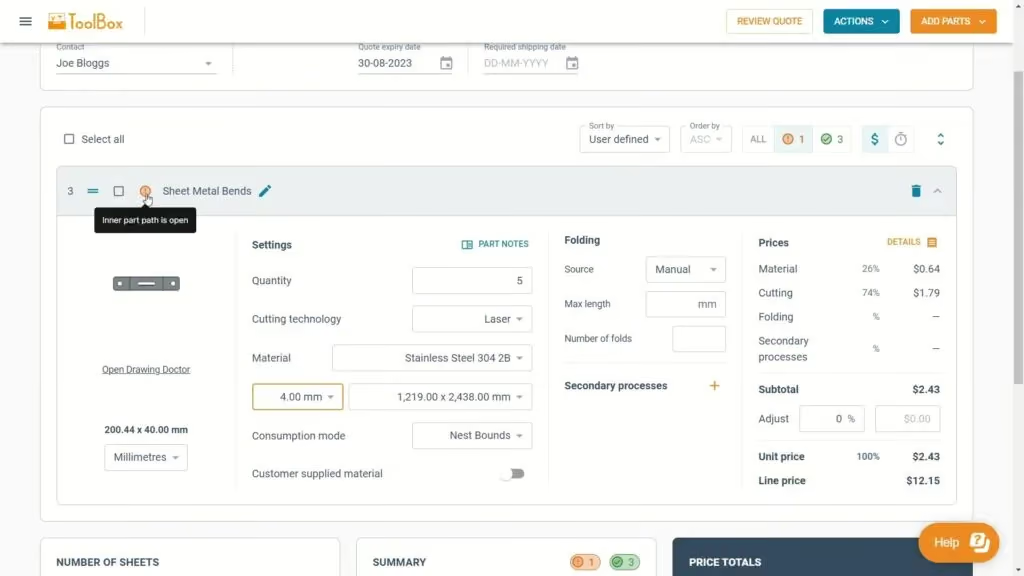
Product updates
0
min read
Tempus Tool’s new laser cutting quoting experience
Tempus Tool's new quoting interface delivers faster calculations, cleaner navigation, and powerful new features—all in one unified, intuitive screen. From smarter sorting to automatic updates and richer quote details, the upgraded experience makes quoting simpler, quicker, and more efficient than ever.
After months of rigorous development and innovation, we’re thrilled to unveil the newest evolution of our quoting interface in Tempus Tools. We remain committed to enhancing your laser cutting quoting process. This fresh approach promises enhanced navigation, lightning-fast calculations, and a host of exciting new features.
We have collected your feedback and listened to your concerns and requests over the past couple of years, and our design team has used their magic to put together a quoting interface that takes Tempus Tools to the next level!
Watch our new Tempus Tools Overview video to see all changes in detail:
Read on to learn more about some of the enhancements.
Tailored sorting
You’re in complete control. Choose between the smart auto-sort feature or manually arrange parts using drag-and-drop for a seamless organisation that aligns with your preferences.
Material requirements and order summary
At a glance, get an indication of how many sheets you need of each material to fulfil the order. Additionally, the order summary details information such as the total order weight, processing time and part count.
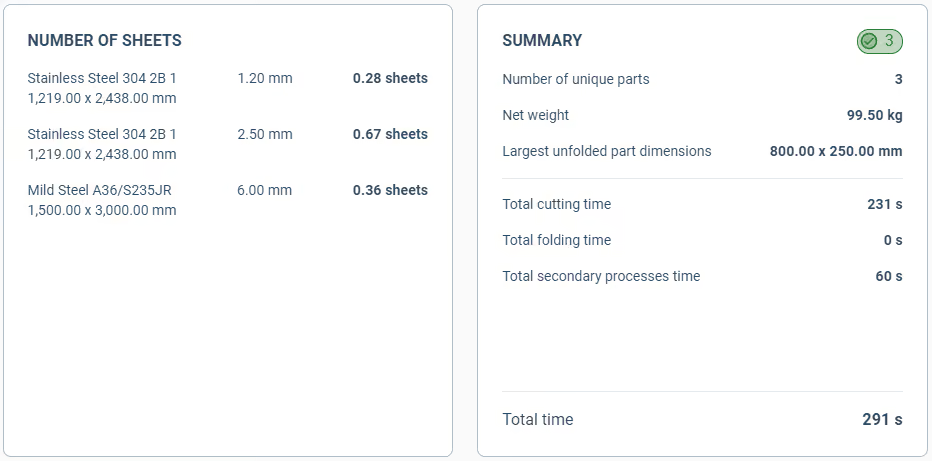
Part notes for everyone
A dedicated section for notes, whether they come from your customers, your team, or personal reminders for a job.
Streamlined price adjustments
With our revamped interface, tweaking the prices of parts becomes an intuitive and quick task.
Extra quote details
From setting an RFQ number to determining invoice due dates, shipping options, and beyond – we’ve got it all.

Unified quoting screen
No more toggling between tabs. Every bit of information you need, all consolidated on a single, intuitive page.
Automatic calculations
Forget the constant back and forth with the Calculate and Edit buttons. Our system now recalculates on-the-fly, keeping up with your pace.
Sleeker interface
With a cleaner, fresher look, onboard new team members with ease and navigate your daily tasks faster.
Customer emailing enhancements
An integrated system to keep your customers in the loop for every quote status.
In short, quoting in Tempus Tools is now even simpler and smarter. We’ve made sure it’s user-friendly while still being packed with all the features you need. Dive in and check out all the new improvements!
Accessing the new quoting experience
If you’re new to Tempus Tools, you will get the new experience by default. Just create a Tempus Tools account to get started.
For existing users, you have a temporary period to switch back and forth between the old and new experiences using the toggle at the top of the quote page.
We believe the new quoting experience will significantly enhance your quoting efficiency, and we can’t wait for your feedback.
Read blog
Ready to take a closer look at Tempus Tools?
Find out if Tempus Tools is a good fit for your shop in just 30 minutes.
Upload your own parts for a live demo
Get answers to pricing and setup questions
No-pressure call focused on your workflow